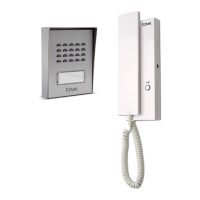
EXTEL - CONNECT 2 - 720324
fr - 1
CONTENTS
A - KIT CONTENTS .........................................................................................................................................................02
B - DESCRIPTION OF MONITOR ...............................................................................................................................02
C - DESCRIPTION OF THE INTERCOM PANEL ..................................................................................................02
D - INSTALLATION .......................................................................................................................................................... 03
1 - Wiring
2 - Installation of the intercom panel and the monitor
3 - Connecting an electric strike plate
4 - Connecting a motor drive
E - MONITOR USER MANUAL ................................................................................................................................... 04
1 - Button functions
2 - Sound adjustment menu
3 - Advanced settings
F - CONNECTING YOUR EXTEL CONNECT 2 VIDEOPHONE TO YOUR SMARTPHONE .............09
1 - Preparing the videophone
2 - Pairing your doorkeeper with a smartphone for the first time
3 - Pairing your doorkeeper with a smartphone when it is already connected
4 - Interface functions
5 - Settings accessible in the application
G - TECHNICAL SETTINGS .......................................................................................................................................20
H - WARRANTY ................................................................................................................................................................20
I - SAFETY INSTRUCTIONS ........................................................................................................................................21
J - DECLARATION OF CONFORMITY ....................................................................................................................22



 To Next Page