EXTEL - CONNECT 2 - 720324
fr - 6
E - MONITOR USER MANUAL
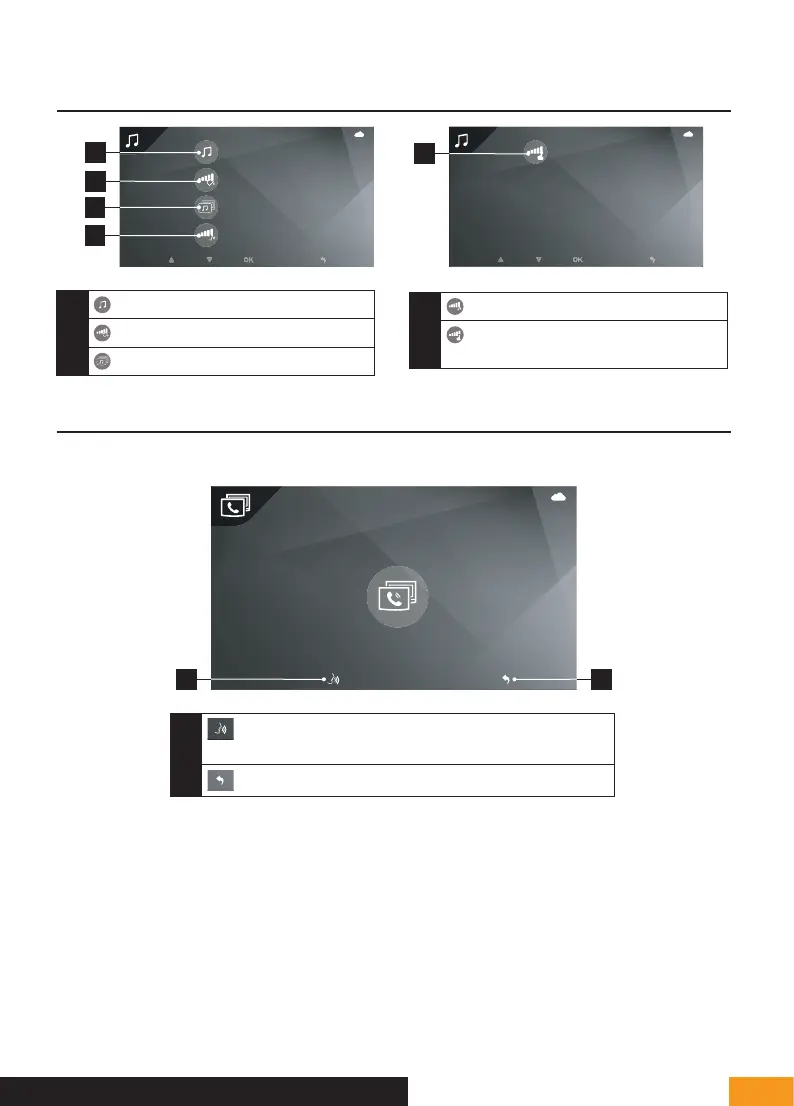
4 - SOUND ADJUSTMENT MENU
1
2
2
2
1
2
3
4
OFF
5
1
Doorbell melody selection
2
Ring volume
3
Volume of intercom mode
4
Talk volume
5
Activate/deactivate an audible beep
when keys are pressed
5 - INTERCOM MODE
If a secondary monitor is connected, you can call it using this menu:
1
2
1
Enables you to answer the call and talk with the second
monitor
2
Enables you to hang up and return to the previous menu



 To Next Page