GB5
CFI EXTEL - ENTRY 7 - 05/2017 - V1
9. TECHNICAL ASSISTANCE - WARRANTY
Fault Cause Solution
• The monitor does not
light up
• The monitor is not con-
nected to a power source
• Check that the adaptor plug is correctly
plugged in.
• Bad image and/or bad
sound
• Environment • Check that the wires used are the correct
size and that the connection wires for the vide-
ophone are not in the same sheath as the 230V.
• Image is too bright • Camera position • Do not expose the lens of the camera direct-
ly to sunlight or to a reflective surface.
• Black screen, no
ring tone
• Installation • Wires not properly connected
• Check the positions on the terminal block
• No sound from the
roadside panel
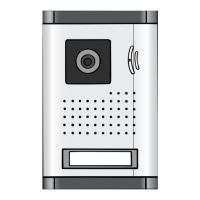
• Insects • Check that the hole for the microphone on
the roadside panel
is not blocked
If required, our technical site is at your disposal: www.c-extel.com
The latest version of the instructions in colour is downloadable from: www.c-extel.com
GUARANTEE CONDITIONS :
This device is guaranteed for labour and parts in our premises.
The guarantee does not cover: the consumables (batteries, etc.) and the damages caused by: misuse, improper
installation, external intervention, deterioration by mechanical or electrical shock, fall or atmospheric phenomenon.
• Never open the apparatus or the guarantee will be invalidated.
• For return in SAV, protect the screen to prevent scratching.
• Only ever clean with a soft cloth; never use solvents. Before cleaning, disconnect and switch off the system.
Caution : Do not use any acid or alcohol based or other similar cleaning product or solvent. You may
damage the appliance and the vapours are explosive and dangerous for your health.
Do not use any tool which can be voltage conductor (metallic brush, sharp tool…or other) for cleaning.
The sales slip or the invoice is required as proof of purchase date.










 To Next Page