3
Using a Show Me™ cable:
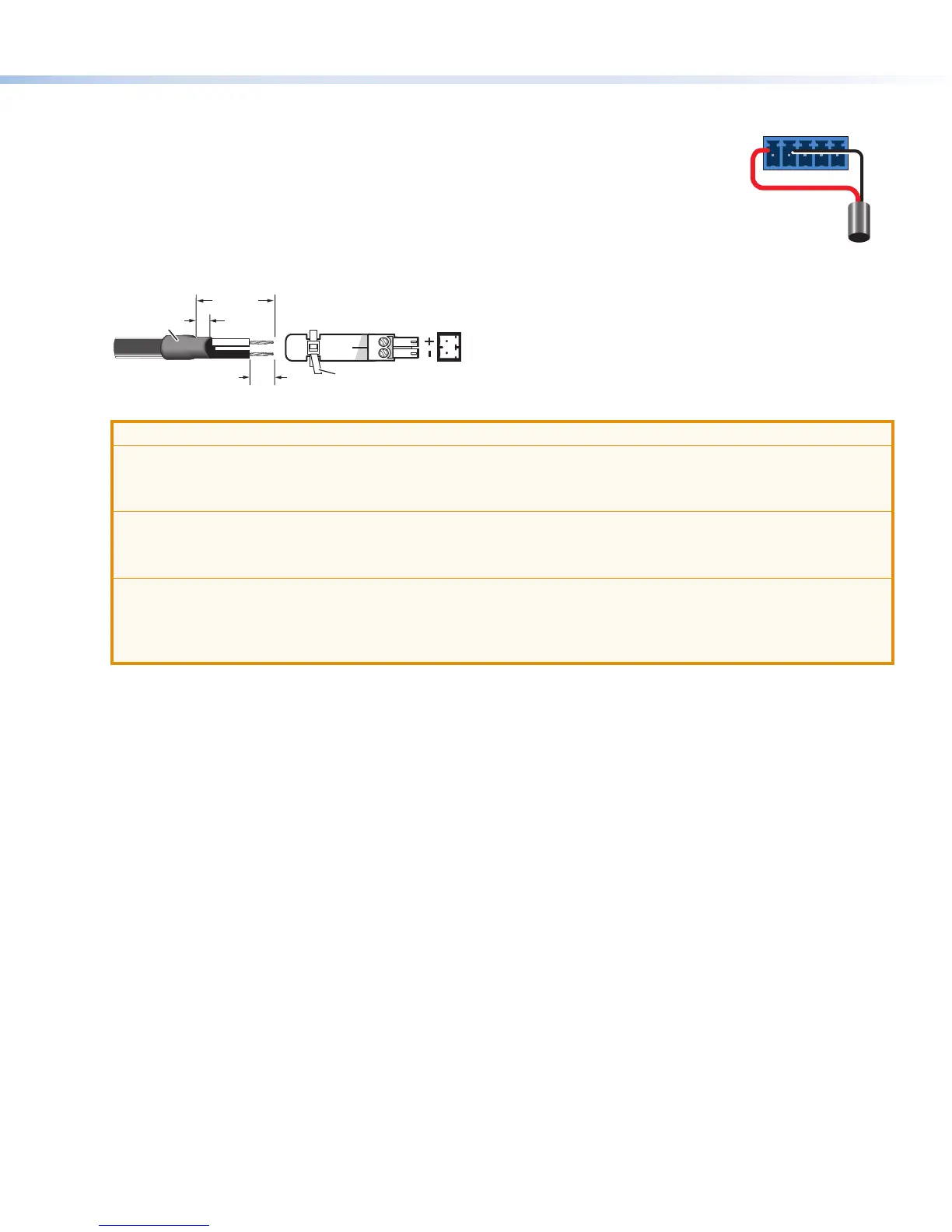
The Contact and Tally connectors can also be used with Extron Show Me cables. For
each cable The diagram at right shows how to wire a Show Me cable to a contact input.
For each Show Me cable:
• Connect the red pigtail to the C pin corresponding to the input being used.
• Connect the black pigtail to the T pin of the same input.
7. If not using the provided pre-wired , wire a 2-pole captive screw connector (provided) to
your power supply as shown below in gure 3.
Captive Screw Connector
Tie Wrap
Heat
Shrink
1/8"
(3 mm)
7/8"
(22 mm)
3/16"
(5 mm) Max.
Figure 3. Wiring the Power Connector
ATTENTION:
• The power supply must not be permanently xed to the building structure or similar structures.
• La source d’alimentation ne devra pas être xée de façon permanente à une structure de bâtiment ou à
une structure similaire.
• These power supplies are not suitable for use in air handling spaces or in wall cavities.
• Ces sources d’alimentation ne sont pas appropriées pour une utilisation dans les espaces d’aération ou
dans les cavités murales.
• Do not connect power to the switcher until you have read the CAUTION and ATTENTION notices on
pages 5 and 6 of the SW HD 4K PLUS Series User Guide.
• Ne branchez pas l’alimentation au SW HD 4K PLUS Series User Guide avant d’avoir lu les mises en
garde « CAUTION » et «ATTENTION » aux pages 5 et 6.
8. Power on the output display.
9. Connect power to the switcher.
10. Power on the source devices.
Connector
Black
Red
Show Me
CT
C
T
+V
1
2













 To Next Page