108 Eyecon 9420 & 9430 Instruction Manual
Eyecon operation
If the drug being dispensed meets the specified criteria for Back Counts, you will be
prompted to count the remaining pills in the stock bottle after completing the fill. The
Eyecon supplies the expected back-count based on the prior back-count minus the
dispensed amount. If the dispense results in opening a new stock bottle, the Eyecon
takes that into account by adding in the full bottle quantity. The expected back-count
amount is displayed at the top of the count screen, in the same manner as the target
quantity for Rx filling.
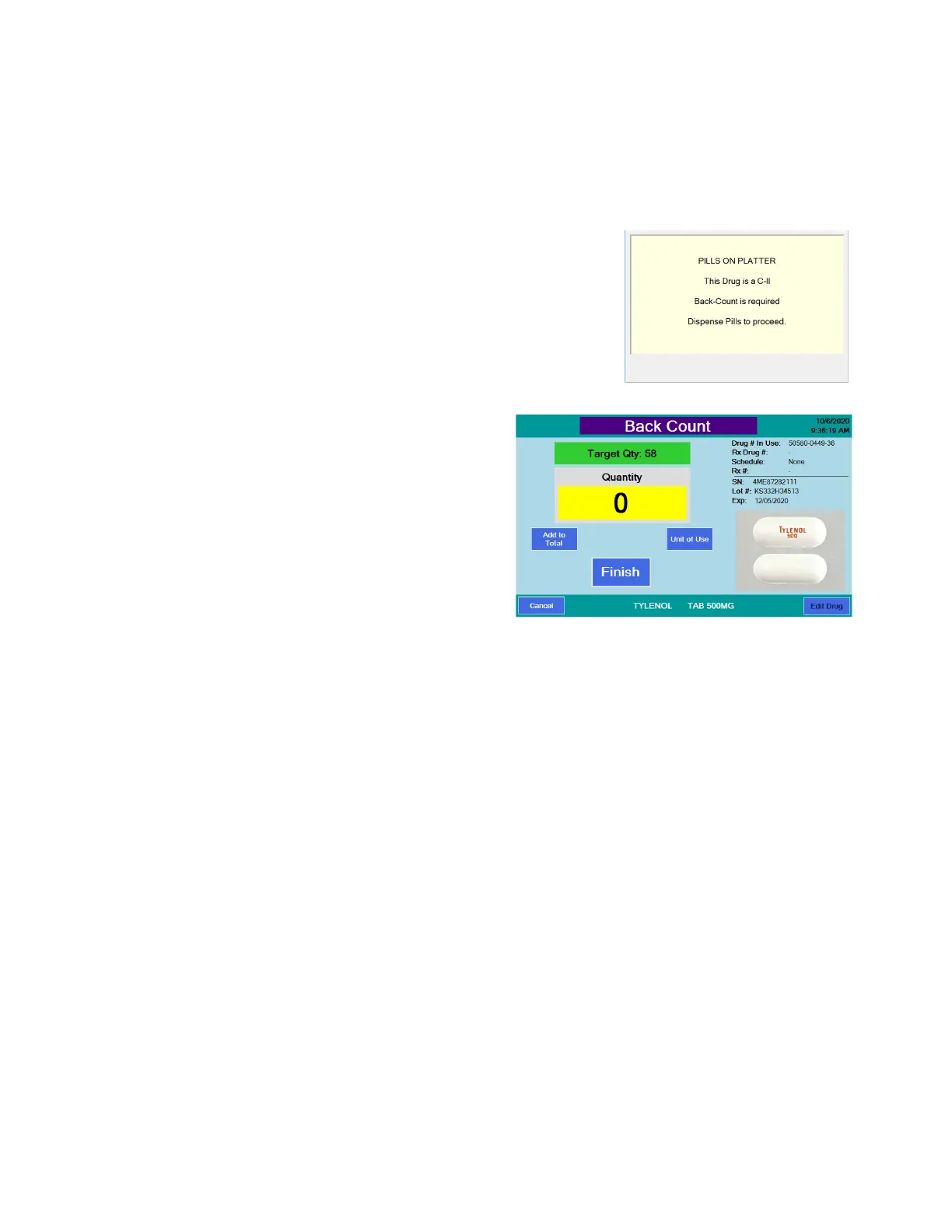
• Begin the counting procedure as
usual and when you press Finish,
the transaction is recorded and, if a
back count is required, the display at
right will appear. Note: The Back
Count will occur after a Double Count
is preformed, if enabled and
required.
• Dispense the pills.
The Back Count
screen will be
displayed. The
expected amount for
the Back Count is
shown at the top of
the screen. If this is
the first time that the
current NDC is being
back-counted, the
expected amount
shown will be ‘???’. Once the initial Back Count has been recorded, the
Eyecon will track the remaining contents of the open Stock bottle.
Back Count Quantity Mismatch



 To Next Page