38 Eyecon 9420 & 9430 Instruction Manual
Settings menu
PMSS Parameters
PMSS configurable parameters are: Order ID Offset, Order ID Length, and Remove
Last Digit from Scanned Order ID.
Order ID Offset
The Order ID Offset defines the number of characters to skip or ignore at the beginning
of the Order ID barcode to get to the starting location of the Order ID. The default value
of 0 indicates that the barcode contents starting at the beginning of the data should be
used. That is the case for the majority of PMS interfaces that Eyecon supports. Please
refer either to documentation specific to your PMS or our interface troubleshooting
document for more details.
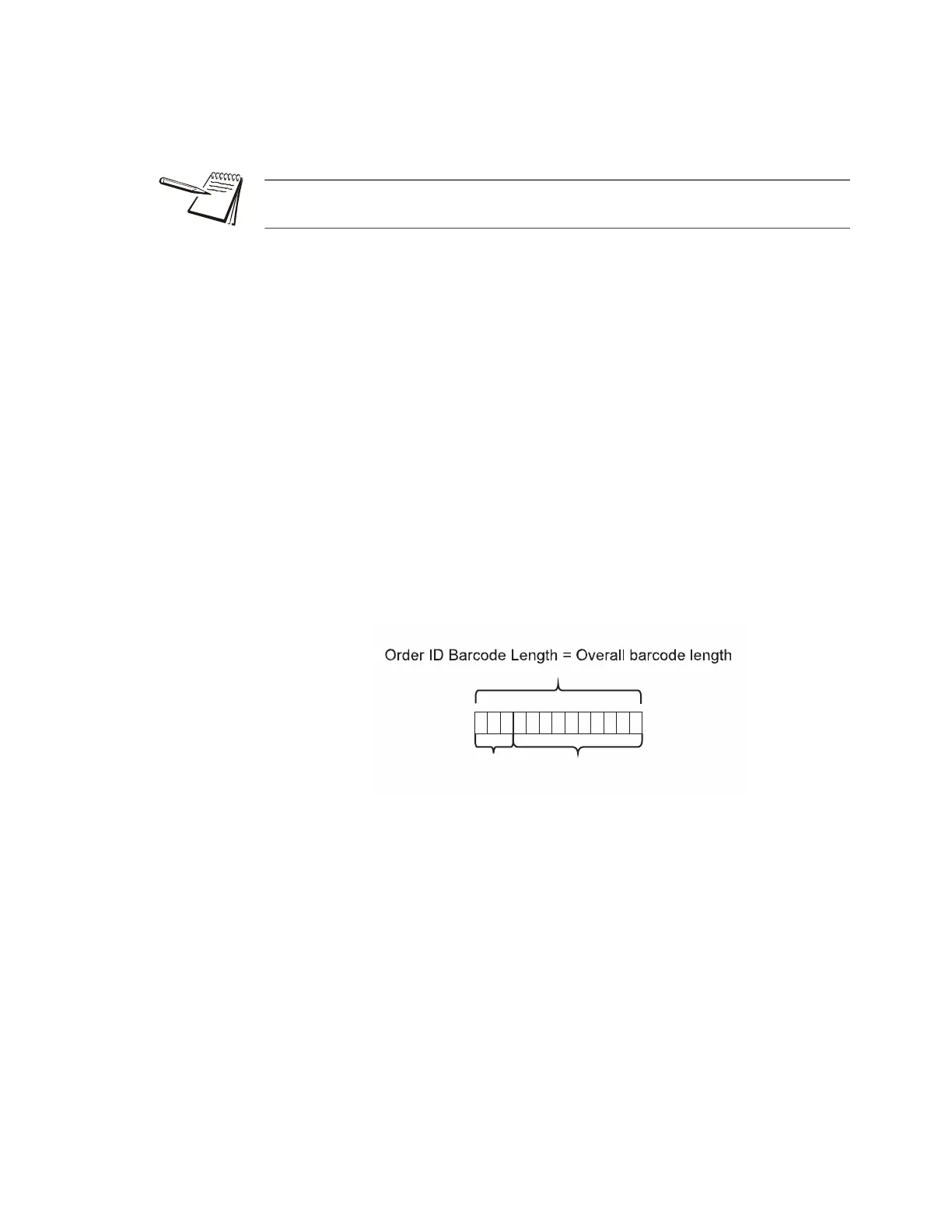
Order ID Length
The length parameter specifies the number of characters in the barcode that should be
used to locate the proper Rx record to be filled. A value of -1 (negative one) indicates
that the entire length of the barcoded value (starting at the specified offset) should be
used for the lookup.
Example:
Order ID Barcode contains the following: Rx:1234567890.
If the Order ID Offset were set to 3, and the Order ID Length set to 10, then the order
ID extracted from the barcode by these selections would be 1234567890. Eyecon
would then search for that 10 digit Order ID in its PMSS table.
The Order ID is the unique value that the Eyecon uses to identify which prescription
was sent to Eyecon by the PMS.
Example = 13
Offset: 3 Order ID
12345678910111213
Rx : 1234567890



 To Next Page