Eyecon 9420 & 9430 Instruction Manual 89
4.3 Validation mode operation
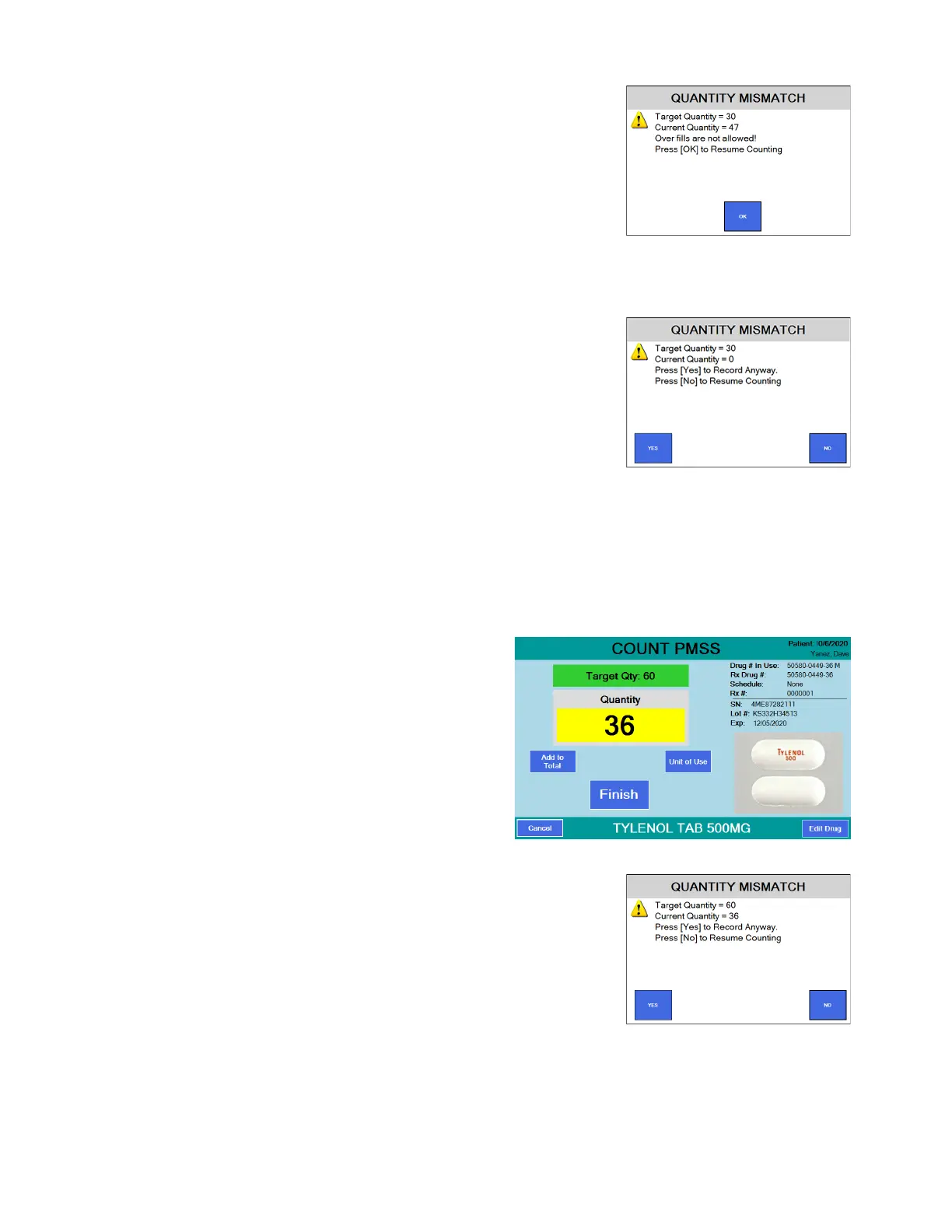
If you press the Finish button when
the pill quantity does not match the
target quantity, a Quantity Mismatch
screen will be displayed, as shown at
right.
Depending on the setting in the
General menu you may or may not be
able to deviate from the quantity
prescribed. Follow the on screen
instructions. (See Allow an Under-Fill
on page 28 or Allow an Over-Fill on page 28.
If you press the Finish button when
the pill quantity is 0, the screen at
right is displayed. Press YES to
record the zero count or press NO to
cancel and return to the Counting
screen.
6. Dispense the pills. See Best filling practice
on page 99 for tips.
7. Repeat the procedure for the next Rx.
Partial Fill
Each time a prescription barcode is scanned, the Eyecon looks into it’s database to
determine if a previous partial fill of that prescription was preformed. Follow the steps
below to perform a partial count and to later fill the remainder due for that prescription.
1. Pour pills onto the counting
platter. In the example at
right, the target quantity is
60 but only 36 pills are on
the tray.
2. Press the Finish button to
record the transaction.
Since the Rx is a
partial fill, the QUANTITY
MISMATCH screen will be displayed.
Press the YES button to save the Rx
for completing at a later time or press
the NO button to return to the
COUNT VALIDATION screen. If you
press YES, the Transaction
Recorded screen is briefly displayed.



 To Next Page