
 Need help?
Do you have a question about the Eyefi Mobi and is the answer not in the manual?
Steps to set up the Eyefi Mobi card on Apple devices.
Steps to set up the Eyefi Mobi card on Android devices.
Instructions for setting up Eyefi Mobi Desktop Transfer on Windows or Mac.
Instructions on installing the Eyefi card profile on Apple devices.
Steps and checks related to taking photos for transfer.
Steps to connect your device to the Eyefi Mobi card's Wi-Fi network.
Tips to enhance the Wi-Fi connection between Apple devices and the card.
Checks and troubleshooting steps for photo transfer issues.
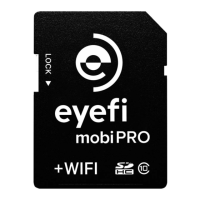
Technical specifications specific to the Mobi Pro card.
Guide to setting up Mobi Pro for transfers to mobile devices.
Guide to setting up Mobi Pro for transfers to a computer.
How to enable automatic wireless transfer of RAW photo files.
How to select specific photos or videos for wireless transfer.
How to connect the Mobi Pro card to a home or studio network.
Explanation of the Eyefi Cloud syncing process.
Steps to sign up for an Eyefi Cloud account.
Instructions on accessing your Eyefi Cloud account.
 General
| Type | SDHC |
|---|---|
| Capacity | 8GB, 16GB, 32GB |
| Card Speed | Class 10 |
| Compatibility | iOS, Android, Windows, Mac |
| Wireless Transfer | Yes |
| File Formats | JPEG, RAW |
| Battery Life | Not applicable (draws power from device) |
| Dimensions | 32mm x 24mm x 2.1mm |
| Wireless | 802.11 b/g/n |

 To Next Page
