Enter the administrator operaon mode
If the input is correct, Beep x 2 will sound and the LED will flash red every second.
Add or replace the passcode while in admin mode
If successful, the device will sound Beep x 2 and the passcode will be set to
*
Admin Code #
Default Admin Code is 999999
*
4-6 Digit Code #
# 001933 # New 4-6 Digit Code #
New 4-6 Digit Code
#
This Guide will offer a quick, simple but limited opon for the programming this device.
It will allow for a single 4-6 digit passcode to be added and then changed at any me.
To use the current code to unlock the device
The LED on the device will turn Green and the device will sound Beep x2 +
“The door is open” .
New 4-6 Digit Code
Quick Setup Quide
Add or Replace Passcode
Unlock the Device
Features
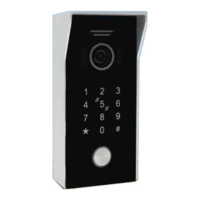
HD 1080P 2.0MP Camera, 110° Wide Angle
View
LED Lights For Night Vision
Live Video, Snapshot, Video Record Touch Keypad, Max.200 PIN Codes Access
High Security With Each Device Having a
Unique ID Number For Connecon &
Communicaons
Compable With CAT5 and CAT6 Cables
Built-in Keypad for Door or Gate Release
Funcon by PIN Code AND IC Card Access
Video Compression: H.264/HD.265 Power Consumpon: Max. 150mA
Dimension (L*W*D): 146*70*43mm(With
Rain Cover)
See Your Visitors On Your Smartphones or
Tablets, Along With Two-Way
Communicaon & Door/Gate Release
Funcon
IC Card Access, Max.200 Pcs. IC Cards Unlocking Time: 01 - 150 Seconds
Waterproof Construcon IP rang 54;
Surface Mount With Rain Cove
Power Supply: DC 15V 1A
Material: Aluminium Alloy Ultra-low Power Consumpon
Compable With CAT5 and CAT6 With PoE


 To Next Page