EZ-Guide
®
500 Lightbar Guidance System
Quick Reference Card
www.EZ-Guide.com
EZ-Guide
®
500 Lightbar Guidance System
Quick Reference Card
www.EZ-Guide.com
EZ-Guide
®
500 Lightbar Guidance System
Quick Reference Card
www.EZ-Guide.com
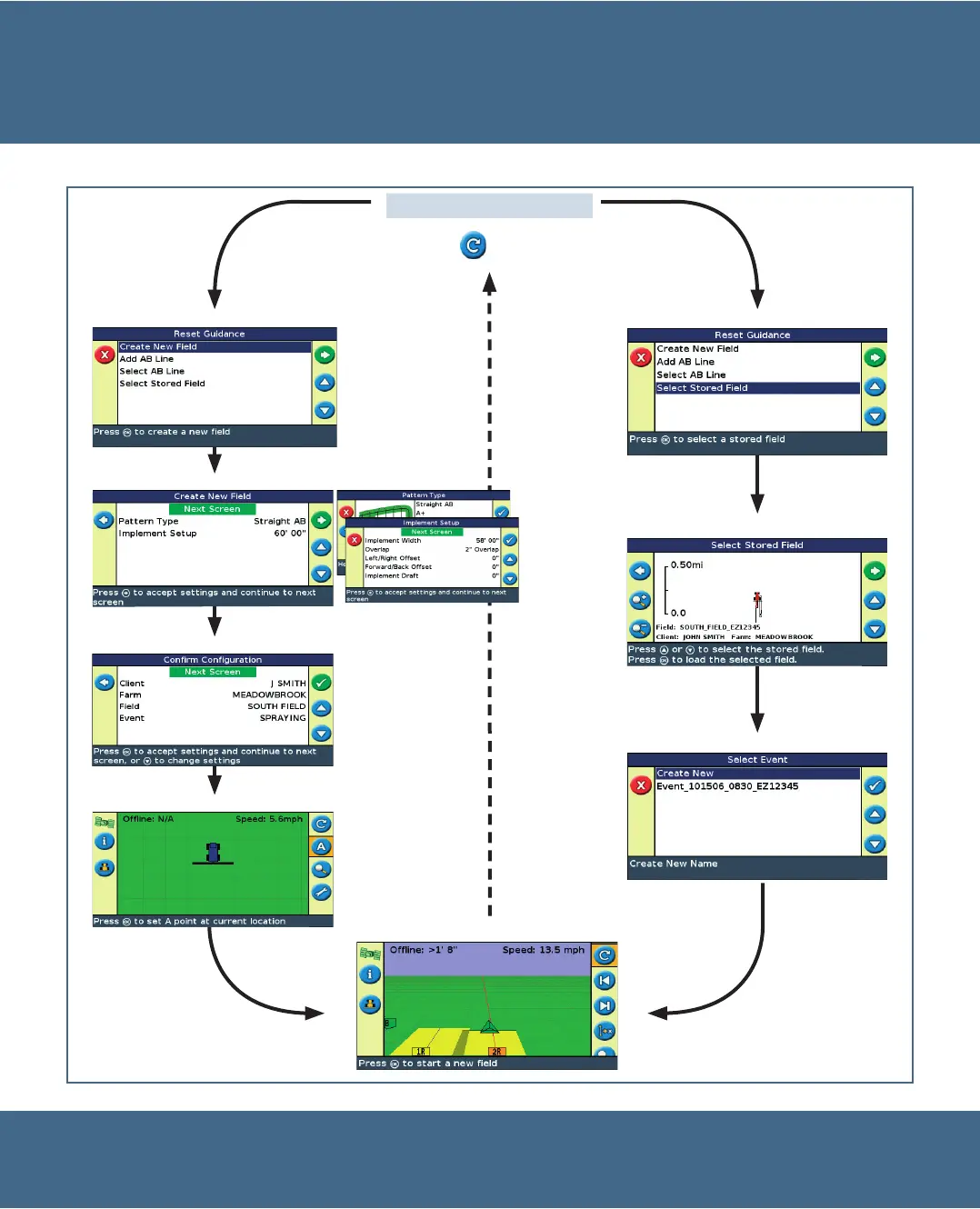
ADVANCED MODE APPLICATION USE
Reset guidance
Select the icon and then
press o.
Create New Field / Add AB line
Select field and AB line
Select event option
Get guidance
Select stored field / Select AB line
Confirm or change field name
Confirm or change settings
Map the AB line


 To Next Page