EZ-Guide
®
500 Lightbar Guidance System
Quick Reference Card
www.EZ-Guide.com
EZ-Guide
®
500 Lightbar Guidance System
Quick Reference Card
www.EZ-Guide.com
EZ-Guide
®
500 Lightbar Guidance System
Quick Reference Card
www.EZ-Guide.com
ADVANCED MODE FEATURES
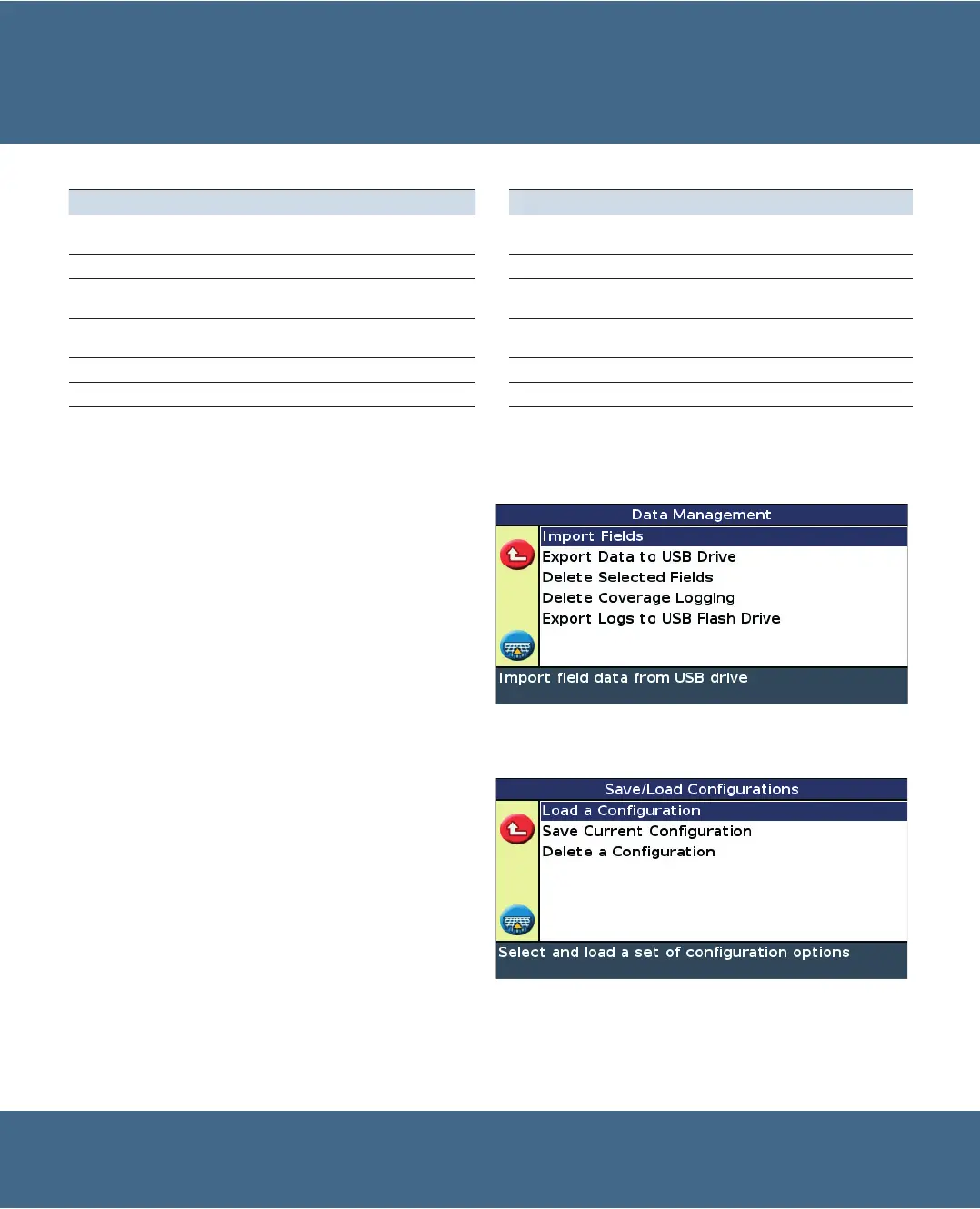
Use the Data Management menu to:
Export field and event information to an external USB
drive, so it can be loaded into another EZ-Guide 500
lightbar.
Note - Never remove the USB drive while the lightbar is
turned on.
Delete field and event information, or the coverage
logging, from events, to free space in the internal
memory.
Export system logs to an external USB drive.
•
•
•
Data management
System configurations
You can save and load system configurations. This is useful if:
you want to use exactly the same settings on multiple
lightbars
you want to change settings when you move the
lightbar between vehicles for different applications
To save, load, or delete a system configuration, select
Configuration / System / Save/Load Configuration.
•
•
Function Details Function Details
Name fields Enter custom Client, Farm, Field, and Event
names
Configure implement settings Set up implement offsets and draft
Add AB Lines to fields Add additional AB Lines to the field Use Autopilot Use the
Ag
GPS
®
Autopilot
™
system
Select existing fields Go back to fields for subsequent applications View diagnostic status information View GPS and satellite information
and system faults
Shift swaths To correct for position drift or to offset swaths in
following years
Save configurations Use system and vehicle configurations
in different lightbars
Configure GPS settings Select GPS limits Export data to USB Use field data in other ligthbars
Configure display settings Change view options Delete old data Clear space in internal memory
To change to Advanced mode, select Configuration / User mode.


 To Next Page