1, Lid switcher - Slide down to open the lid, so can put cassette in.
2, AUX port – Audio line out to earphone or speaker.
3, Volume control.
4, Bluetooth LED Indicator
Flashes quickly (1 time per second) -Search for the Bluetooth receiver device.
Flashes slowly (1 time per two seconds) -Successfully match up with Bluetooth receiver
device.
5, See-throughwindow - To check if cassette is running.
6, Cassette operate buttons - See following details.
PLAY - press to play tape.
DIR - Change the direction of cassette playing.
- Auto Reverse switch, slide to engage Auto Reverse mode. When one side of
tape stops, another side will play automatically.
F.F-Fast forward.
REW-Rewind.
STOP-press to stop playing tape.
7, DC port - 5V DC, USB power adapter is not included.
Preparation before use
There are three power supply options.
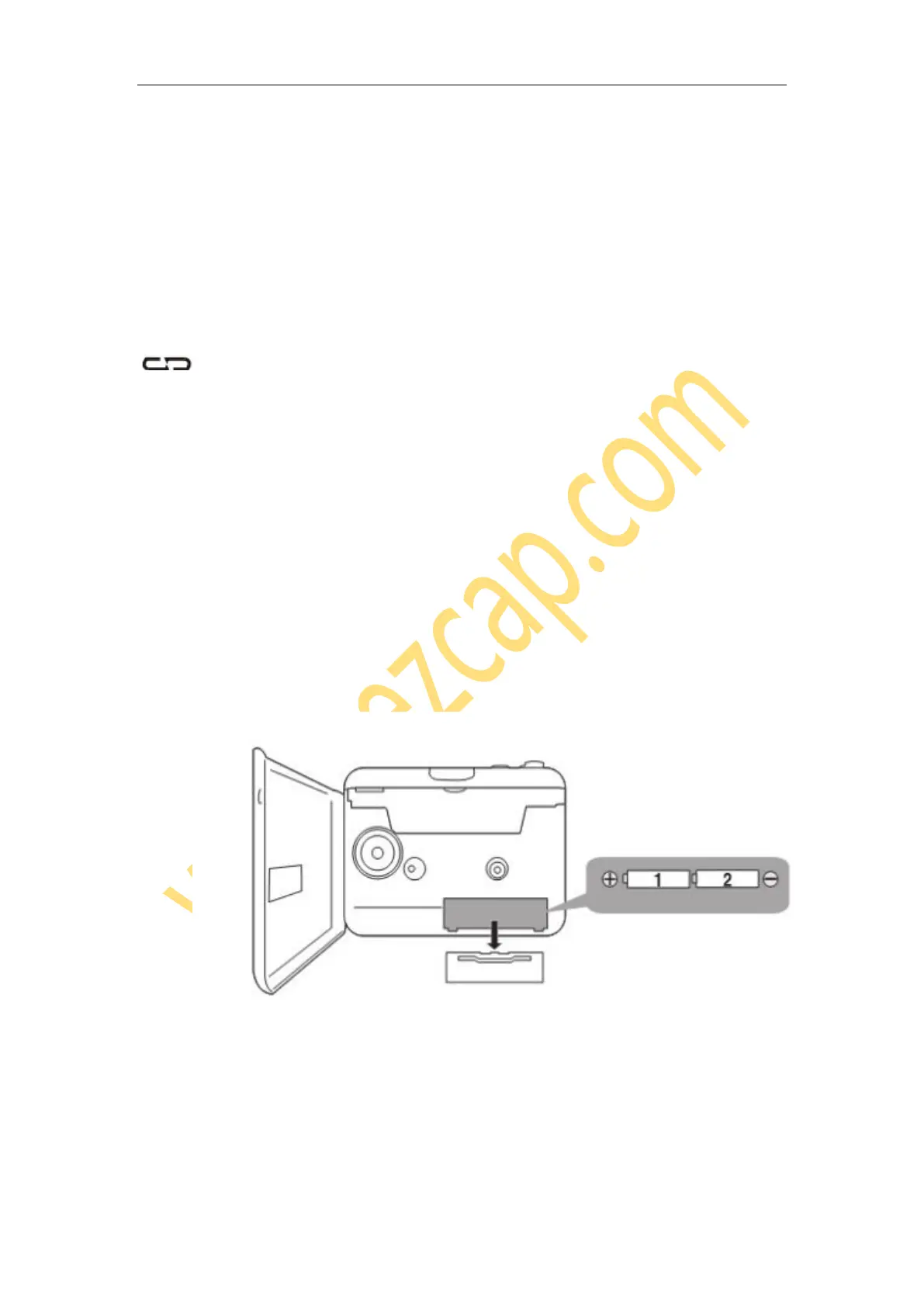
Insert 2 AA batteries
You must open the lid of the cassette player to access the battery compartment. Please
follow the polarity illustrations (+ or -) when inserting batteries.
Powered by computer USB port
Connect the included USB power cable with computer USB port and cassette player DC
port.


 To Next Page