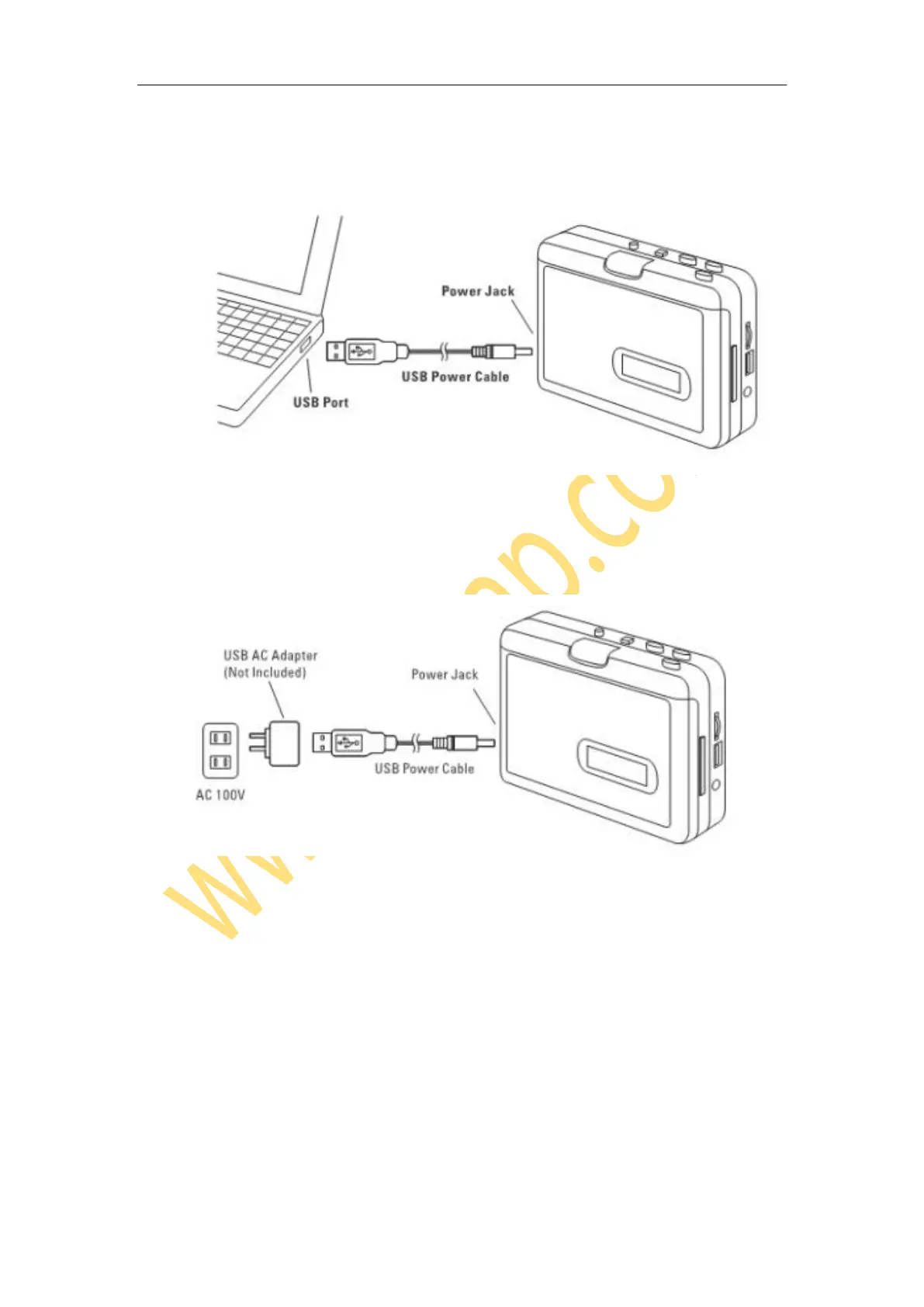
Powered by 5V/1A USB power adapter
Connect the included USB power cable with USB power adapter/AC socket and cassette
player DC port.
Cassette Operation
1, Insert a tape, and connect a power supply following above. The blue LED flashes
quickly (about one time per second)
2, Turn on a Bluetooth headphone or speaker. (If you don’t use Bluetooth function, please
connect a speaker or earphone to “AUX” port of the device.)
3, Press “PLAY” button on the top of device.
4, They will automatically pair up with each other after few seconds. Then the blue LED flashes
slowly (about one time per two seconds) if pairing is successfully complete. You should be able
to hear the sound coming from your Bluetooth headphone or speaker.


 To Next Page