Need help?
Do you have a question about the EZCast Ultra and is the answer not in the manual?
Provides an overview of the EZCast Ultra requirements, its powerful video decoder and dual band.
Details key features including WiFi/Bluetooth, UHD output resolutions, EZCast App support, and OS support.
Explains how to connect the EZCast Ultra to power and the HDMI port, and how to connect to the network.
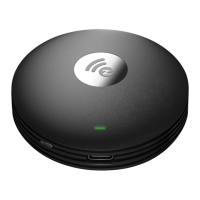
Lists main components like CPU, SDRAM, Flash, and hardware interfaces like HDMI and Type-C.
Details power input specifications and power consumption for the device.
Specifies dimensions (length, width, height) and weight of the EZCast Ultra device.
Outlines operating and non-operating conditions for temperature and humidity for reliable performance.
Lists required certifications such as EMC/Safety (CE, FCC, NCC, TELEC) and other compliance like RoHS.
 General
| Wireless Standard | 802.11ac |
|---|---|
| Video Output | HDMI |
| Ports | HDMI, Micro USB |
| Video Codecs | H.265, H.264 |
| HDR Support | Yes |
| Resolution Support | Up to 4K (3840 x 2160) at 60Hz |
| Power Supply | 5V/1A |
| Compatibility | iOS, Android, Windows, macOS |
| Wi-Fi | Dual-band (2.4GHz/5GHz) |
| Wireless Standards | 802.11a/b/g/n/ac |
| Wireless Technology | Wi-Fi |
| Operating System Support | iOS, Android, Windows, macOS |

 To Next Page