EasyManua.ls Logo

EZiclean Cyclowash Ultimate - Page 11

EZiclean Cyclowash Ultimate
Print Icon
To Next Page IconTo Next Page
To Previous Page IconTo Previous Page
Loading...
INSTALLATION OF YOUR DEVICE
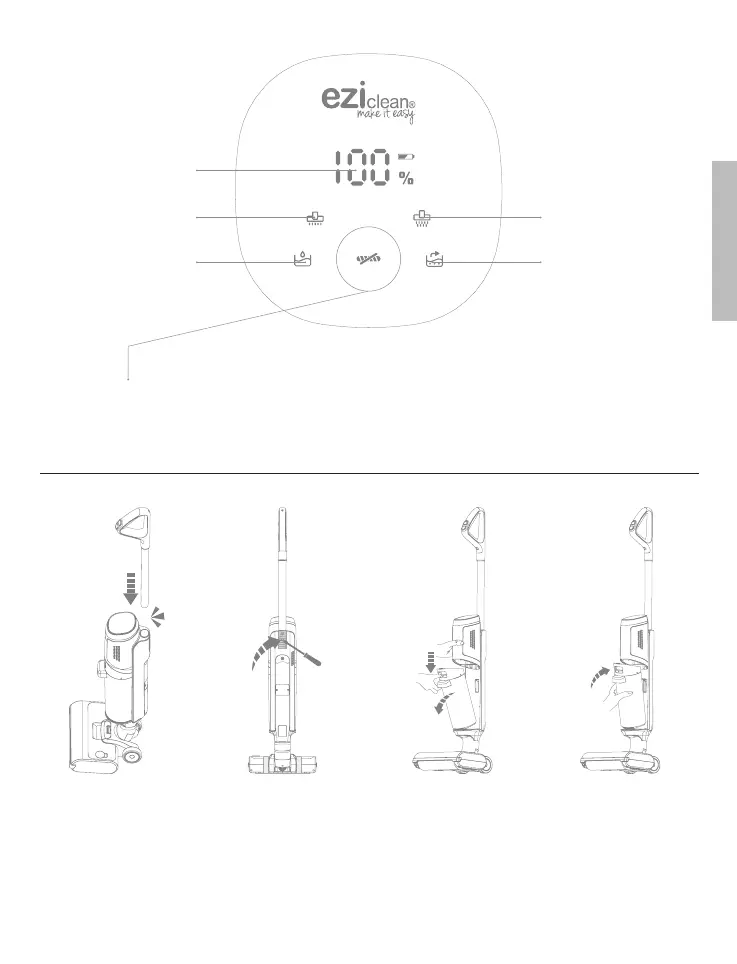
Battery
level
indicator
Minimum speed Maximum speed
Empty clean
water tank
indicator
Dirty water
tank full
indicator
Indicator ashes green: Auto brush cleaning in progress.
Indicator ashes red: The roller brush is blocked or too dirty
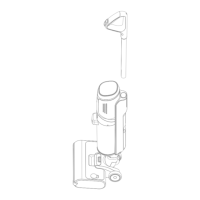
Insert the handle into
the product until you
hear a click.
To remove the handle,
press the latch into
the hole on the back
of the product with a
screwdriver. Then pull
the handle.
Press the dirty water
tank cover and pull
it out.
To replace the dirty
water tank in the
product, rst insert the
bottom of the tank and
then press the top until
you hear a «click».
ENGLISH

Related product manuals