2
Basics
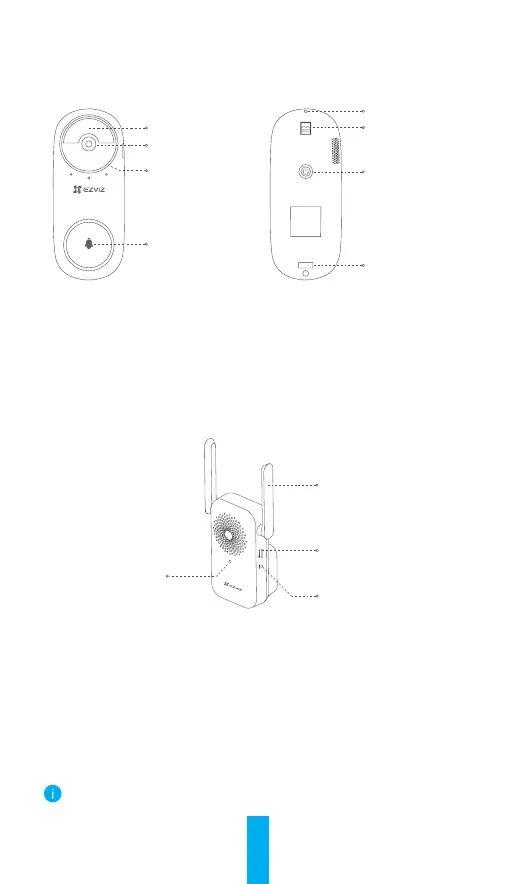
Doorbell
PIR
Lens
LED Indicator
Doorbell Button
Dismantle Hole
Mounting Hole
Power Button
Mounting Hole
Name Description
LED Indicator • Slow-Flashing Red: Charging.
• Solid Blue: Doorbell is fully charged.
Power Button • Short press for 1 second: Start doorbell.
• Long press for 5 seconds: Shutdown doorbell.
Chime
Antenna
Micro SD Card Slot
(For video storage)
Reset Button
LED Indicator
Name Description
LED Indicator • Solid Red: Chime is starting up.
• Slow-Flashing Red: Wi-Fi connection has failed.
• Solid Blue: Chime is functioning properly.
• Fast-Flashing Blue: Chime is ready for Wi-Fi
connection.
Reset Button Hold for 5 seconds to restart and all parameters are
reset to default.
The chime appearance is subject to the actual one you have bought.



 To Next Page