1
Operations
Step 1
Start Home Sense Siren
1
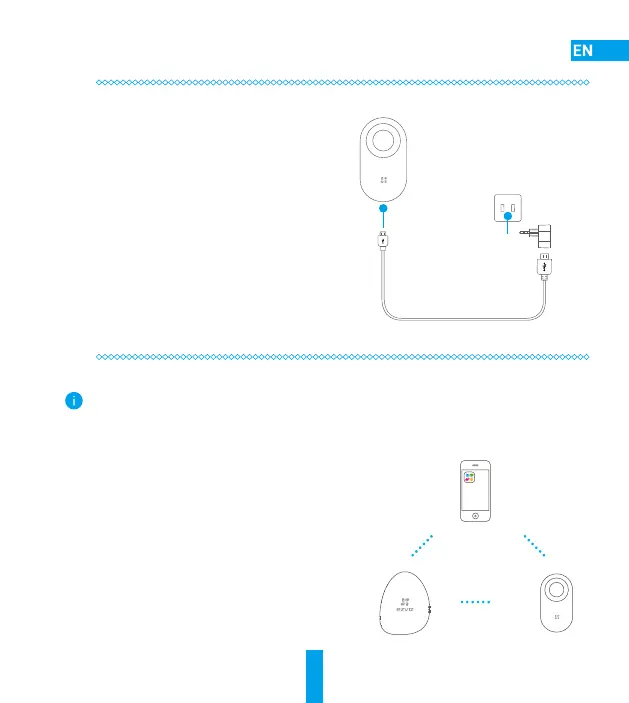
Connect the siren to the power adapter with the
power cable.
2
Plug the power adapter into the power outlet to
power on the siren. The red indicator lights on
for 2 seconds indicating the siren has started
up.
Step 2
Add to Internet Alarm Hub
The siren must be linked with the Home Sense Alarm Hub and other detectors such as Open/Close and
Motion Detectors. The EZVIZ Home Sense Alarm Hub and detectors are sold separately.
• Option 1 (Recommended) Add by EZVIZ App
1
Install the EZVIZ App
- Search for the EZVIZ App in Google Play
TM
or APP Store
and install it on your mobile device.
- Open the app and register for an EZVIZ user account.
2
Add Siren
Log in the EZVIZ app and scan the device QR code to add
it to the Home Sense Alarm Hub.



 To Next Page
 Loading...