pg. 2
QUICK START GUIDE
Thank you for choosing the Pro
1
. Before using the device, please
read this guide to help you get started. The full User Guide is
available at www.fxtec.com/support.
Getting To Know Your Phone
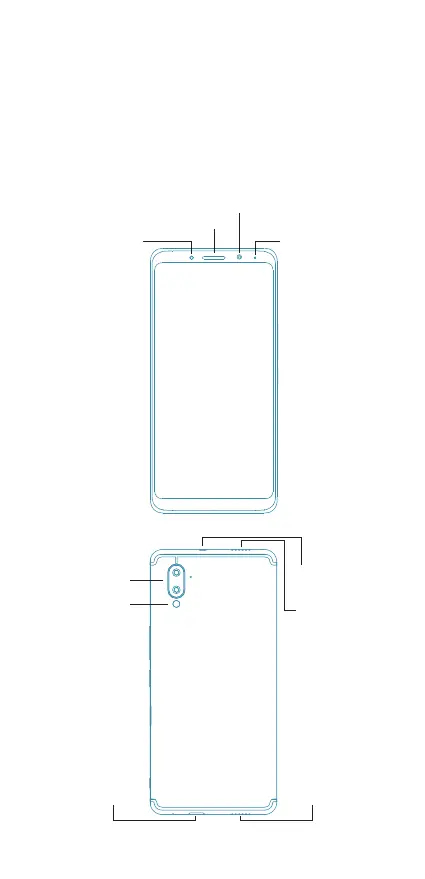
Familiarise yourself with the different parts of the phone as shown in
the diagram below.
Power Button
Fingerprint Reader
Rear Camera
Camera
Button
Volume Keys
Sim Card Tray
+ Micro-USB Port
Charger Microphone
Loudspeaker
Headset
Connector
Earpiece
Indicator
Flash
Front
Camera
Proximity Sensor


 To Next Page