pg. 4
Inserting and Removing the SIM card
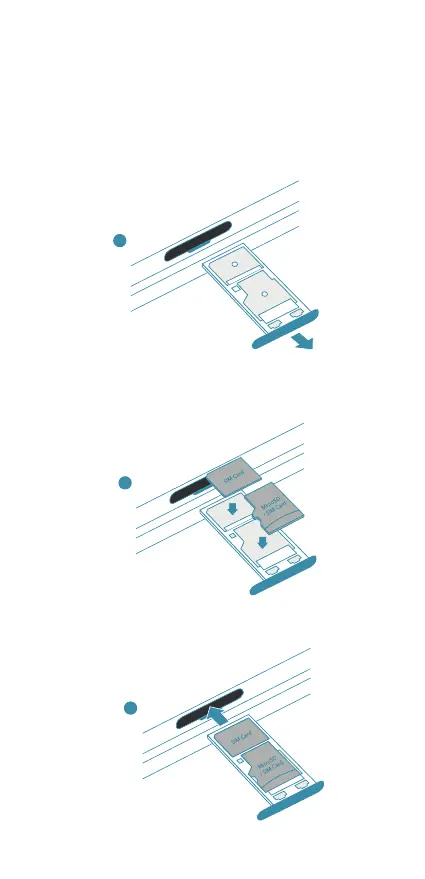
1. To open the SIM card tray, place your ngernail into the ridge and
carefully slide the tray out.
2. Put the nano-SIM card into the slot located on the tray with the
contact area facing down.
3. Slide the SIM card tray back into the slot.
3
1
2


 To Next Page