EasyManua.ls Logo

Facit C1-13 - With Rhe Right

Default Icon
30 pages
Print Icon
To Next Page IconTo Next Page
To Previous Page IconTo Previous Page
Loading...
,ea
'u"'u
e
I
Here's bout to boost
yotn
speed
from
tbe start:
Set up
the ligures
urith
your
lell hond
-
lurn
the cratnk
with
your
right
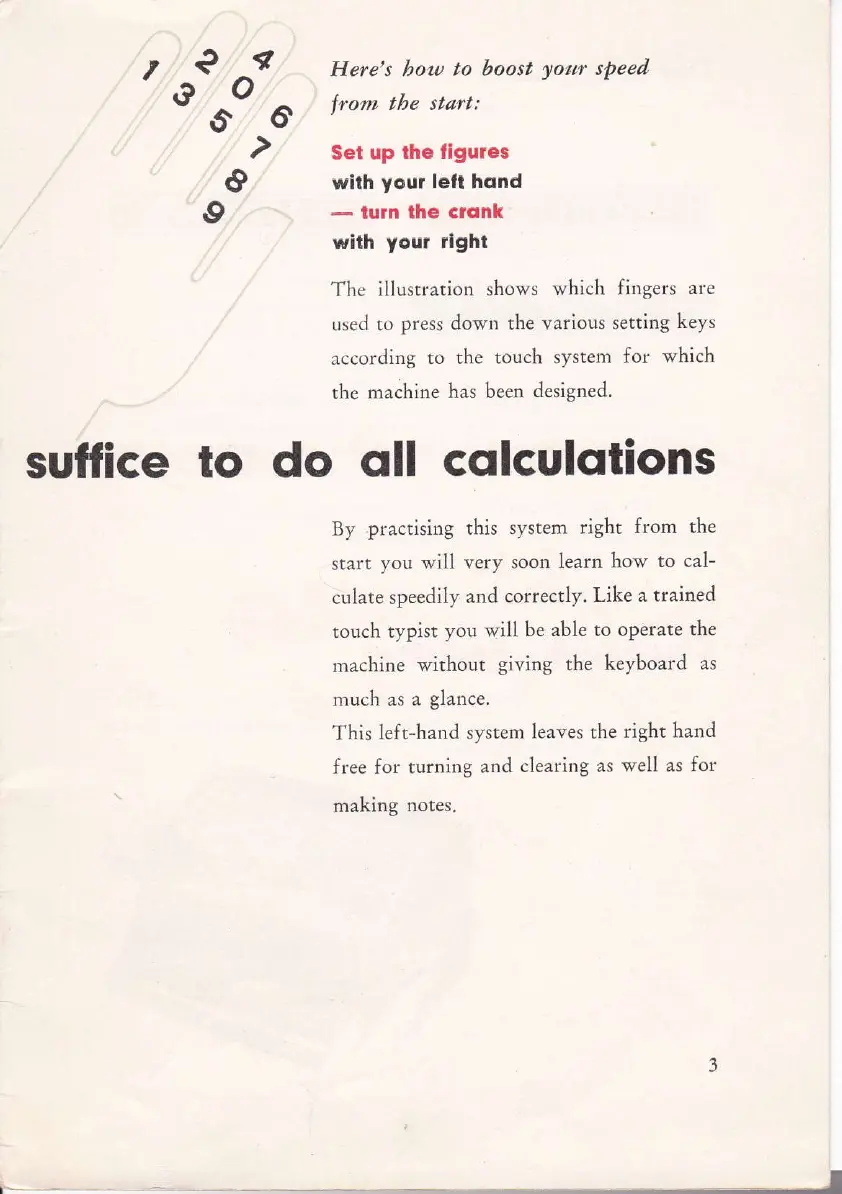
The
illustrarion shows
which fingers
are
used to
press down the various setting
keys
according
to the touch
system for
which
the
machine
has been
designed.
sutfice to do
oll
cqlculqtions
By
practising
this
system right
from the
start
you
will
very soon
Iearn how
to cal-
culate speedily
and
correctly. Like
a trained
rouch
typist
you
will
be able to
operate the
machine
without
giving
the
keyboard
as
much as
a
glance.
This
left-hand system
leaves the
right hand
free for turning
and
clearing as
well as for
making
notes.
t