25
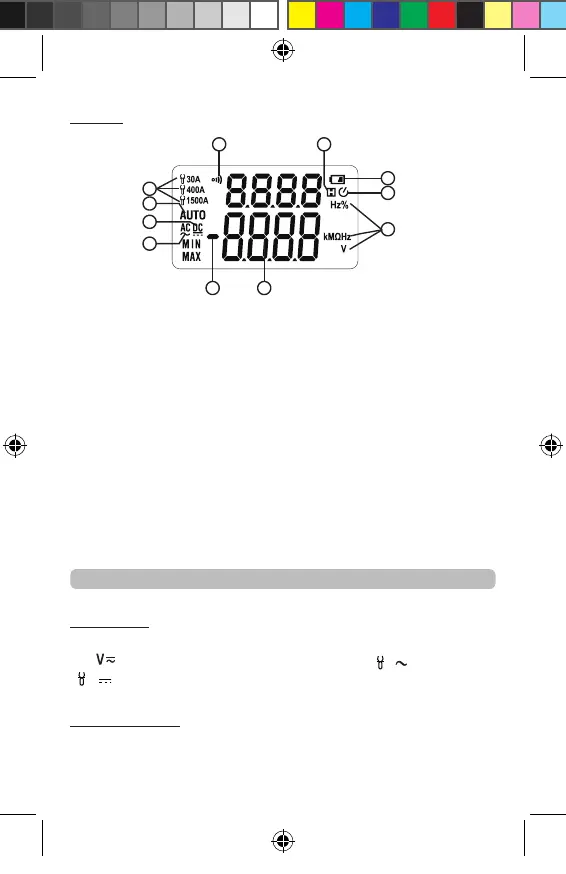
Display
(1) Measuring indicator of FACOM current probe 720.P30
or 720.P1500
(2) Automatic measuring range indicator
(3) Direct voltage indicator
(4) Alternating voltage indicator
(5) Numerical value polarity indicator (negative sign)
(6) Measurement display value
(7) Measurement unit
(8) Auto power off indicator
(9) Battery low-voltage indicator
(10) Data hold indicator
(11) Continuity measurement indicator
Keys Operation
FUNC Key
Press the key to switch functions. Switch AC/DC Voltage
in “
” position, switch different range in “
” and
“
” position.
Data Hold Key
Press the key to hold the current reading on the LCD
display.
Press the key again to release the hold.
3
2
1
4
5 6
7
8
9
1011
NU-711B_0618 7 langues.indd 25 22/06/2018 09:20:54


 To Next Page