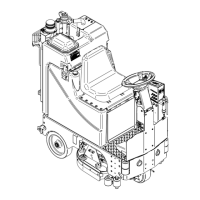
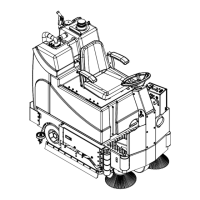
Need help?
Do you have a question about the Factory Cat Mag-HD V2.0 and is the answer not in the manual?
The serial number of your machine is located on the lower half of the control panel.
Defines DANGER, WARNING, CAUTION, and NOTICE safety reminder symbols.
Key instructions on when not to operate and how to operate safely.
Details critical warnings regarding voltage, battery acid, water temperature, and safe practices.
Illustrates the placement of safety labels on the machine and emphasizes prompt replacement.
Identifies and describes controls on the Military Grade dashboard.
Identifies and describes controls on the Legacy dashboard.
Identifies and describes controls on the Touch Screen dashboard.
Details circuit breakers and other controls on the Military Grade side panel.
Details circuit breakers and other controls on the Legacy side panel.
Details circuit breakers and other controls on the Touch Screen side panel.
Explains indicators and readings on the Legacy LCD operator and maintenance screens.
Explains the display for error codes and warning symbols on the Legacy LCD.
Details solution output, programmed zones, hour meters, down pressure, battery gauge, and SUDS.
Explains active volt/amp draw, vac current, transport, and brush current.
Describes cycling through and selecting operation modes.
Explains symbols for mode selection, solution, and down pressure settings.
Illustrates symbols for motors, system status, suds, setup, and zone lock.
Explains the touch screen's programming for three specific zones: Light, Daily, Heavy Duty.
Describes accessing zone programming via passcode and changing zone parameters.
Details how to lock zones to prohibit operator use and its implications.
Illustrates the process of connecting and orienting batteries with diagrams.
Notes on battery disposal, environmental impact, and proper torque values.
Step-by-step visual guide for installing the squeegee assembly.
Details the process and tools for adjusting squeegee alignment and pressure.
Shows how to safely unplug the machine from the battery charger.
Illustrates how to set the machine for forward transport across different control types.
Illustrates how to set the machine for reverse transport across different control types.
Shows how to fill the solution tank adhering to safety and temperature guidelines.
Details the steps for operating the machine in scrubbing mode for different controls.
Illustrates how to connect the hose and drain the recovery tank.
Shows how to drain the solution tank using the provided hose.
Demonstrates how to flush the recovery tank with water.
Illustrates how to remove and clean the drain saver component.
Shows how to remove and empty debris from the cylindrical hopper.
Details the steps for cleaning the internal components of the vac box.
Illustrates disk brush removal and notes on rotation after 25 hours.
Shows cylindrical brush removal and notes on rotation after 25 hours.
Demonstrates orbital pad removal and notes on proper placement.
Shows how to plug in the battery charger to charge the machine's batteries.
Details specifications for console-mounted and wet/domestic chargers.
Details specifications for onboard, AGM, and international chargers.
Provides a guide to interpret status light flashes for troubleshooting.
Fields for collecting customer and machine details for maintenance.
Checklist for verifying operational status, component condition, and cleaning.
Procedure for inspecting battery water clarity, level, and terminals.
Final checks for operating parameters like solution fill and squeegee adjustments.
Lists error codes, internal labels, types, descriptions, actions, and remedies.
Lists further error codes, internal labels, types, descriptions, actions, and remedies.
Lists final error codes, internal labels, types, descriptions, actions, and remedies.
Lists disk brushes and pads for Micro-HD, including sizes and levels.
Lists cylindrical brushes and edge pads for Micro-HD, including models and sizes.
Specifies grip face part number and lists squeegee blade kits and assemblies.
Explains the properties and uses of Linatex, Urethane, and Gum squeegee materials.
Lists disk brushes, pads, and orbital screens for Mini-HD, including sizes and levels.
Lists cylindrical brushes for Mini-HD, including models and levels.
Specifies grip face part number and lists squeegee blade kits and assemblies.
Explains the properties and uses of Linatex, Urethane, and Gum squeegee materials.
Lists disk brushes, pads, and orbital screens for Mag-HD, including sizes and levels.
Lists cylindrical brushes for Mag-HD, including models and levels.
Specifies grip face part number and lists squeegee blade kits and assemblies.
Explains the properties and uses of Linatex, Urethane, and Gum squeegee materials.
Shows decals for Military Grade, Legacy, and Touch Screen control panels.
Lists decals for machine models, options, and squeegee sizes.
 General
| Model | Mag-HD V2.0 |
|---|---|
| Category | Scrubber |
| Power Source | Battery |
| Battery Voltage | 36V |
| Drive Type | Traction Drive |
| Battery Type | Lithium-Ion |
| Charging Time | 8 hours |
| Warranty | 5 years |


 To Next Page