FC-GTR-OP-EN - 7 -
** USE GREEN MENU SELECTION BUTTON ON CONTROL PANEL TO CHANGE SCREENS **
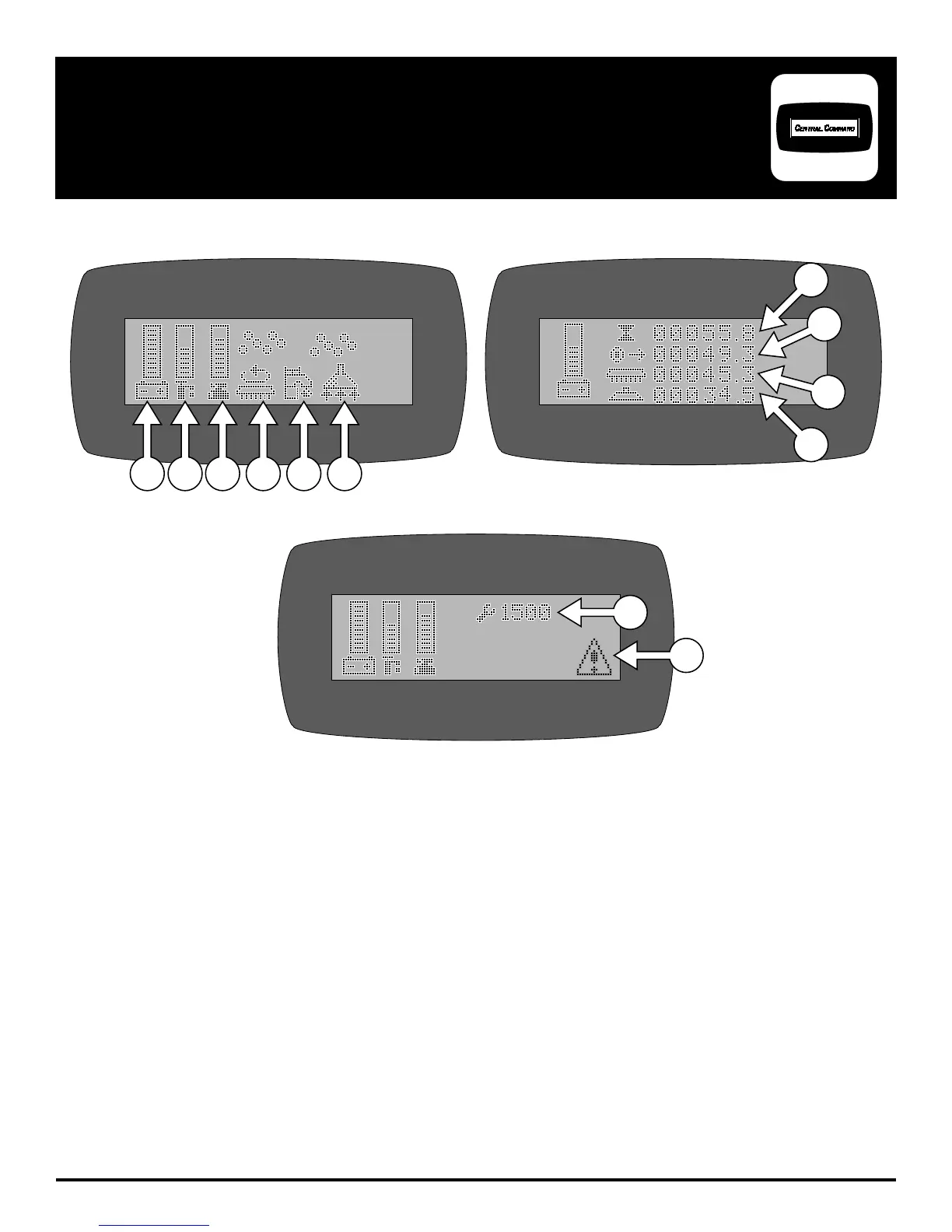
1. BATTERY LEVEL INDICATOR - Indicates the energy level remaining in the Batteries
(Shown on all menu displays)
2. SOLUTION OUTPUT INDICATOR - Indicates the gallons per minute (GPM) 0 - 1.0
3. SCRUBDECK DOWN PRESSURE INDICATOR - Sets the down pressure on the Brushes / Pads
4. SCRUB MOTORS ON - Indicates the Brush Motors are in operation
5. SOLUTION ON - Indicates the solution fl ow is ON
6. VACUUM ON - Indicates the Vacuum is ON
7. KEY SWITCH HOUR METER - Indicates total hours the machine has had keyswitch ON
8. TRANSPORT HOUR METER - Indicates total hours the drive system has been in operation
9. SCRUB BRUSH HOUR METER - Indicates total hours the brush motors have been in operation
10. VACUUM HOUR METER - Indicates total hours the vacuum motor has been used
11. DIAGNOSTIC CODE - Displays diagnostic code which helps troubleshoot issues
12. ERROR WARNING SYMBOL - Indicates when there has been a diagnostic code error
SCREEN #2 (MAINTENANCE)
10
9
8
7
SCREEN #3 (WITH ERROR CODE)
11
12
SCREEN #1 (OPERATOR)
1 2 3 4 5 6
LCD SCREEN


 To Next Page