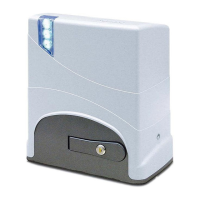
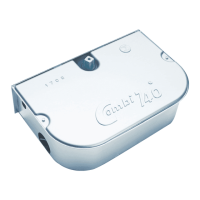
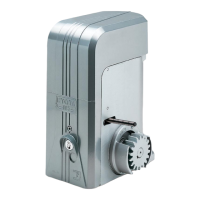
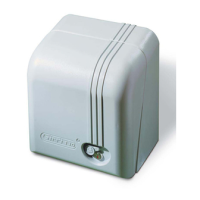
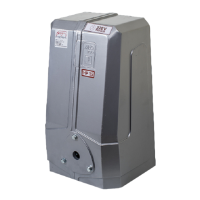
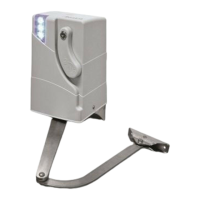
Need help?
Do you have a question about the fadini Junior 624 and is the answer not in the manual?
Factory pre-wired board; set DIP-switch 11 for installation direction.
Use FADINI accessories; safety devices disabled during self-learning.
Ensure correct magnet and bracket placement; verify operator mounting position.
Verify green LEDs; check limit switch LEDs X and Y.
Lists operator, keys, base plate, anchor bolts, nuts, and washers.
Details nylon/30x8 gear racks and screws/bolts (not included).
Describes LED lights, casing, and fixing screws for status indication.
Lists programmer, support, fuse, gearbox, and manual unlock handle.
Details motor, microswitch, magnetic limit switch, pinion, and transformer.
Identifies Fit 55 photocells and the gate end stop component.
Lists Junior 624, programmer, radio receiver, circuit breaker, and key-switch.
Explains the role and labeling of magnetic limit switches.
Illustrates labels indicating SX (Left) and DX (Right) mounting positions.
Explains the role and labeling of mechanical limit switches.
Details the operational functions assigned to each DIP-switch (1-12).
Explains the meaning of various LEDs (L2, L4, L5, etc.) for system status and faults.
Lists common terminal connections for accessories like photocells and radio.
Stresses professional installation, reading instructions, and power disconnection for PCB work.
Describes the Elpro 62 as a microprocessor PCB for gate management and self-learning.
Comprehensive guide to LED meanings for system status and fault identification.
Explains how DIP-switch settings (1-12) control various gate operator functions.
Details connections to terminals 1-7 for safety devices and controls.
Explains wiring for radio receivers and status warning lamps.
Describes connections for 24Vdc flashers and DSA photocell transmitter power.
Guides setting up Master and Slave Elpro 62 units for controlling two operators.
Specifies the 4-wire cable connection between the two Elpro 62 programmers.
Details connections for courtesy lamps and pedestrian opening inputs.
Explains connections for photocells and NC input from a second Junior operator.
How to adjust force via trimmer and meet EN 12445/12453 safety standards.
Differentiates automatic (open-pause-close) and semiautomatic (commanded open/close) modes.
Describes slowdown programming and the function for reversing on obstacle contact.
Explains automatic re-closing after photocell passage and safety check functions.
Adjust the Trimmer Force to move the gate smoothly and safely.
Unlock the gate manually, position it, and disconnect electrical power.
Press and hold P button, re-apply power; LP LED will flash to indicate programming mode.
Use P button or transmitter to teach the operator the open/close travel and slowdown points.
Use the coded key lever to unlock and manually move the gate; disconnect power.
Connect 12V backup batteries for operation during mains power failure.
Diagnose issues like open NC contacts, blown fuses, or unlocked handle.
Resolve amber LED faults related to obstacles, low force, or photocell issues.
Lists power, voltage, current, weight, speed, protection, and operating temperature.
Statement of compliance with EU directives and safety standards by Meccanica Fadini.
 General
| Brand | fadini |
|---|---|
| Model | Junior 624 |
| Category | Gate Opener |
| Language | English |

 To Next Page