User instructions
32
DELAYING THE PROGRAM
The
PROGRAM DELAY
button
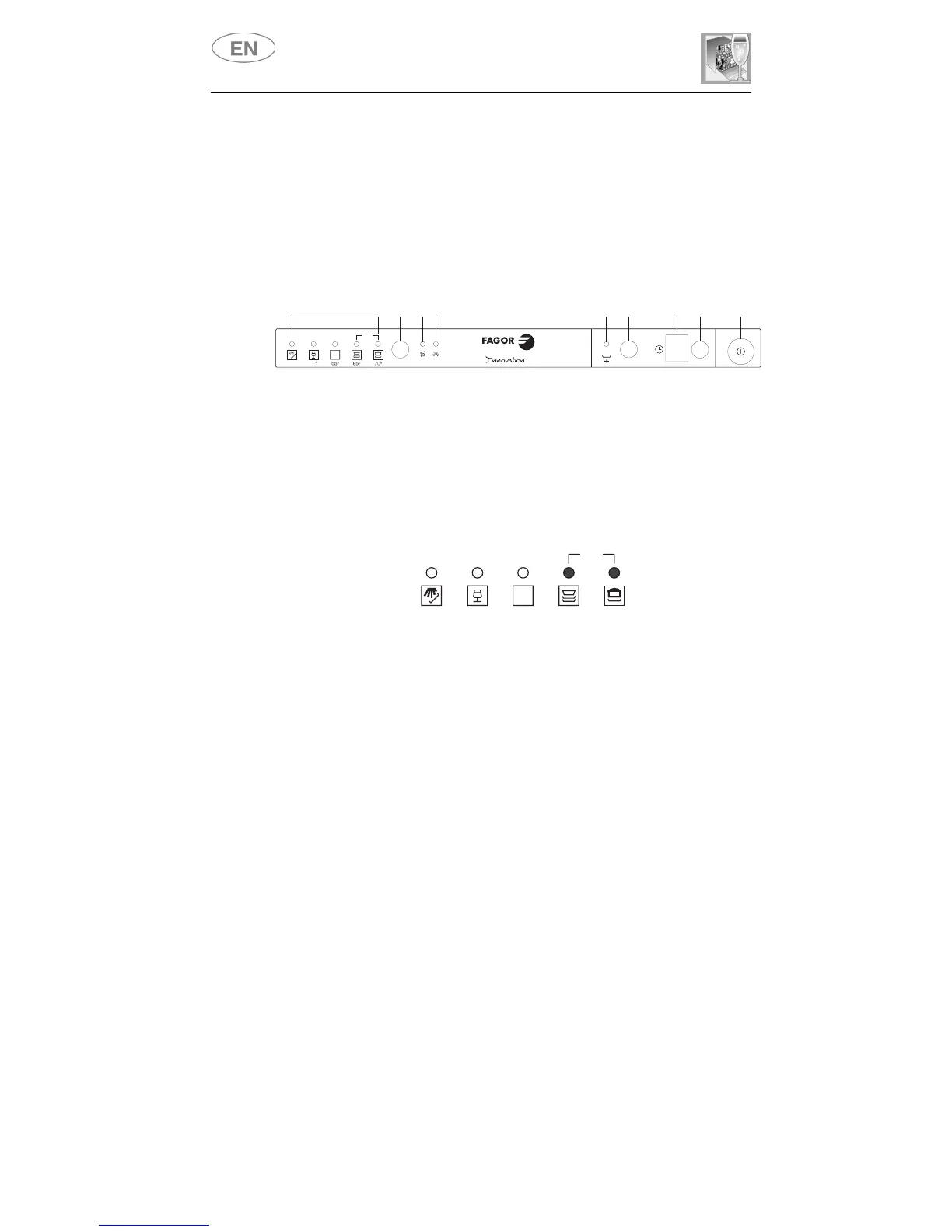
(8)
can be pressed to delay the start of
the program by up to
9 hours.
This means that the dishwasher can be
operated at the time of day of your choice. Press the button several
times in succession and the display will show the delay with which the
appliance will start, beginning from
9 hours
.
CANCELLING THE CURRENT PROGRAM
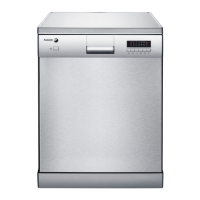
• To cancel the currently selected program, open the door and hold
down the
PROGRAM SELECTION (3)
button for a few seconds
until the
indicator lights
for programs
4
and
5
illuminate
simultaneously (the word "end" is displayed on the window).
• Close the door.
• After approximately 1 minute the dishwasher will advance to the end
of cycle.
CHANGING THE PROGRAM
To change the program in progress, simply open the door and select a
new program. When the door is closed the dishwasher will automatically
select the new program.
END
45
P
MIX
2
3
4
576981
45° 55° 65° 70°
END
MIX



 To Next Page