User instructions
34
ADJUSTING THE WATER SOFTENING SYSTEM
N.B.:
for the setting below to be possible, a washing program other than
the soak program must be set.
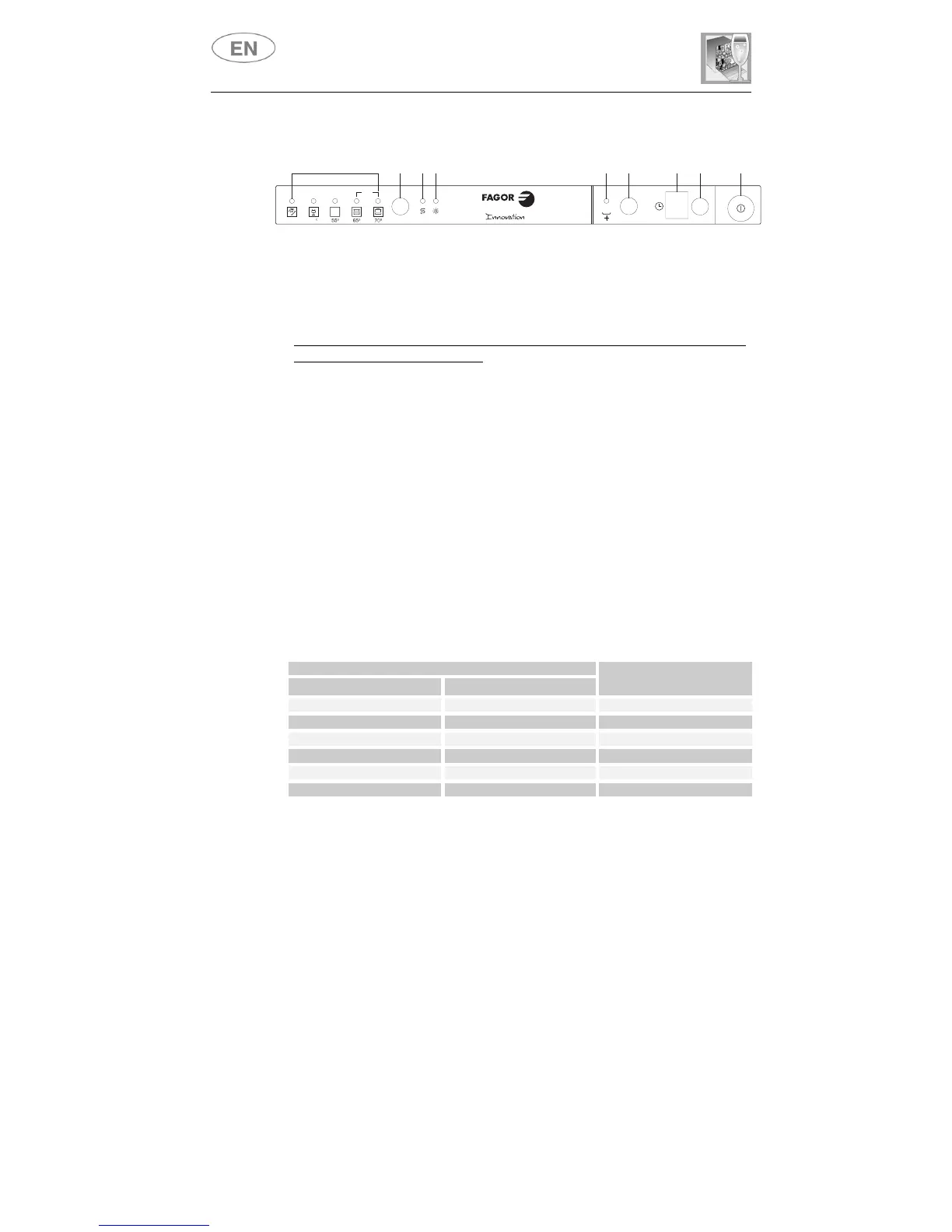
Press the
PROGRAM DELAY
button
(8)
and keep it pressed until the
preset value appears followed by a full stop (normally
3.
).
Release the button then press it again in succession to display the value
required, referring to the table.
The
6
setting levels available will appear in this order:
3.
,
4.
,
5.
,
0.
,
1.
,
2.
.
When the value required appears on the display, release the button;
after
5 seconds
the system automatically returns to setting of the
program delay, and the setting will be made with the chosen value.
N.B.:
the display shows the water hardness setting and the program
delay. The dot (
.
) after the number indicates that the water hardness
setting is being displayed. If the dot (
.
) does not appear, the program
delay is being displayed.
WATER HARDNESS TABLE
WATER HARDNESS
German Degrees (°dH) French Degrees (°dF)
SETTING
0 - 5 0 - 9 0.
6 - 11 10 - 19 1.
12 - 21 20 - 36 2.
22 - 33 37 - 59 3.
34 - 45 60 - 79 4.
46 - 53 80 - 107 5.
Contact your local water board for information on the hardness of your
water supply.
END
45
P
MIX
2
3
4
576981



 To Next Page