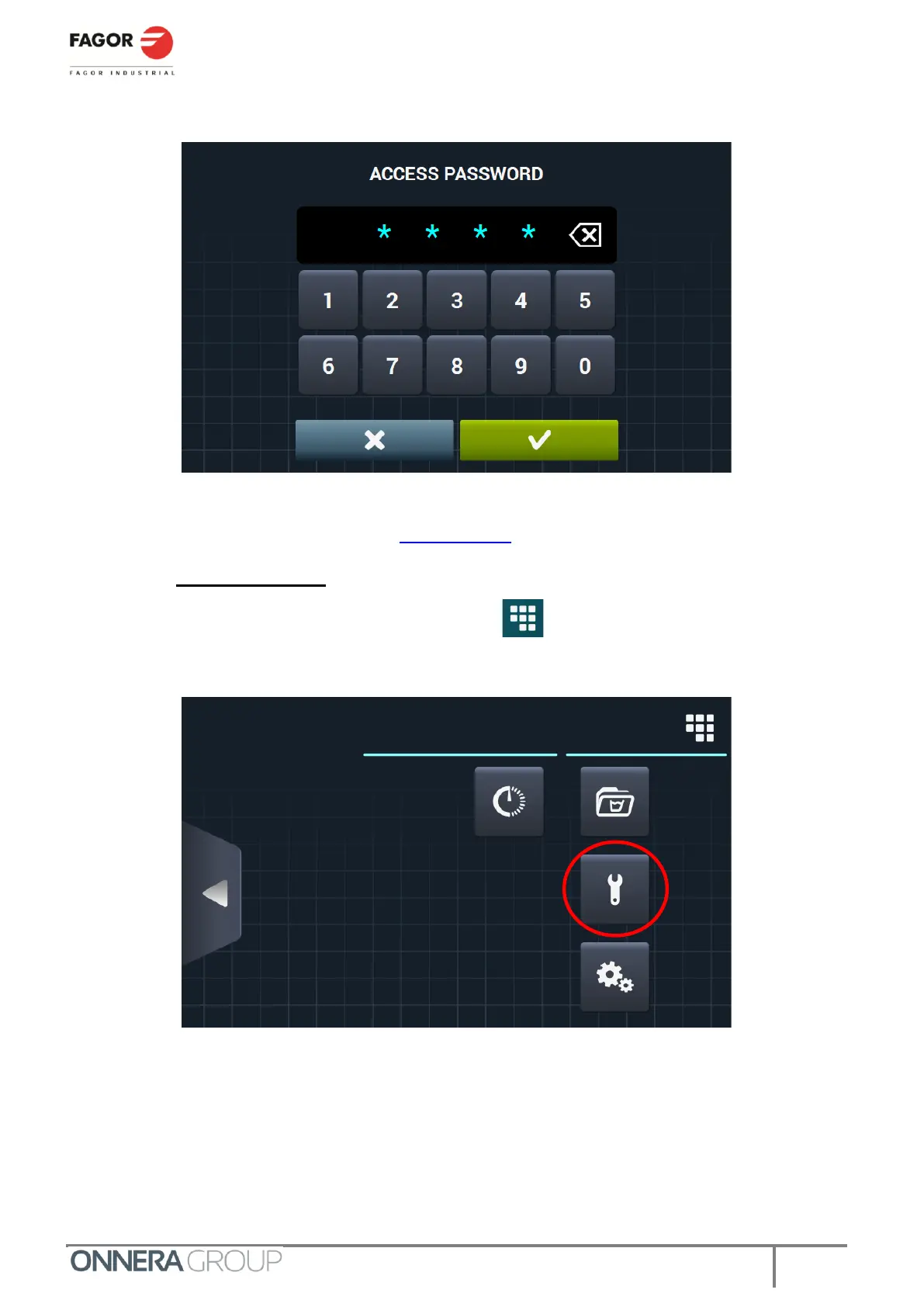
When the key is turned, the dryer requests an access password. The factory setting for this code is 1234.
If the code has been changed, consult the owner and/or person responsible for changing the code.
From this point, proceed as shown below in For OPL mode.
3.2. For OPL mode
On the main programme selection screen, select the icon in the upper right corner.
Next, select the Technical Service menu.



 To Next Page