Operating
31
● Press the power switch which is situated at the rear part
of the appliance. The appliance is then in the standby
mode.
● For switching the appliance on press the on/off key at the
top of the appliance.
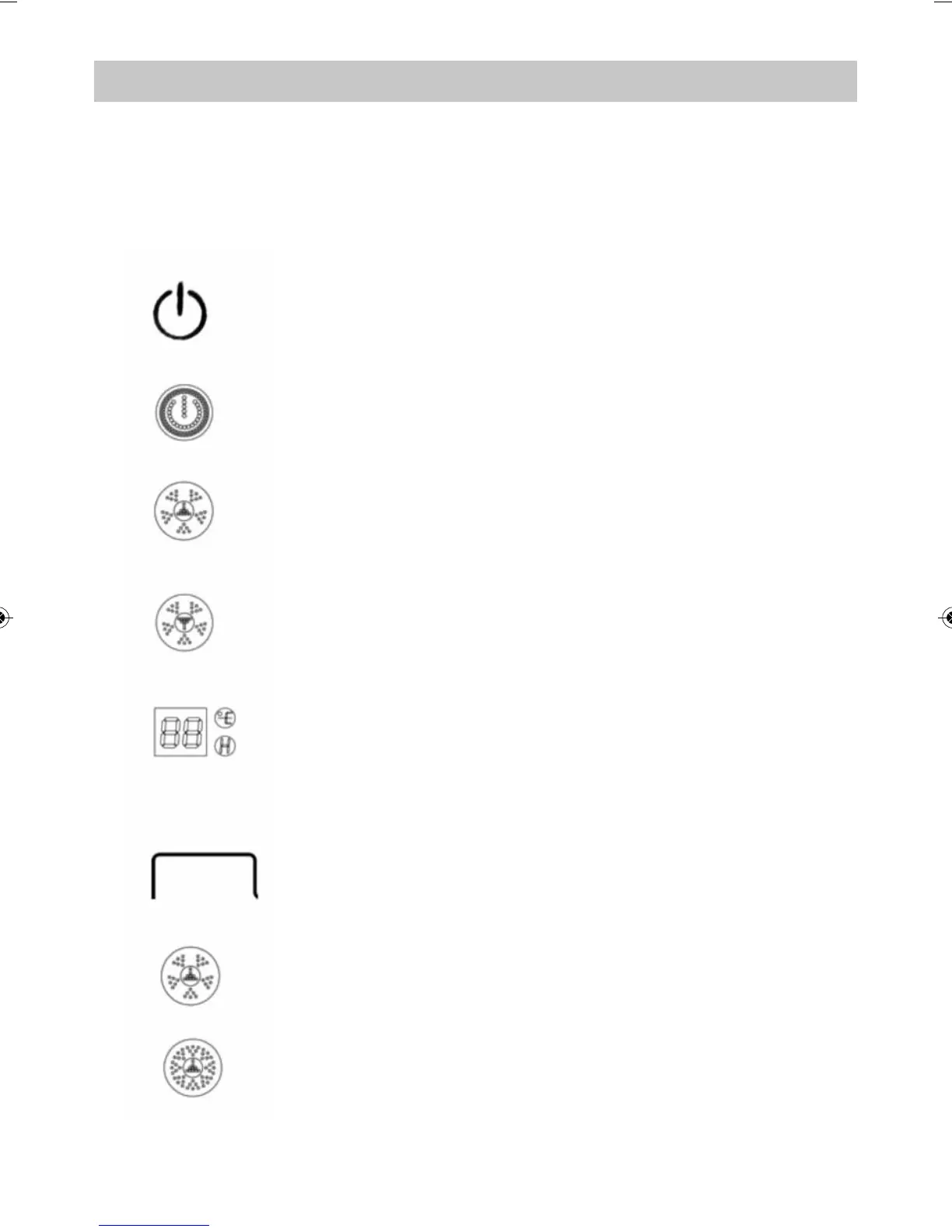
● The appliance is now ready for operation. The display is
showing the following:
a) Power indicator light on.
c) NETHER PTC:Low heating power indicator light on.
d) ROOM TEMPERATURE: Room temperature i
ndicator
light on.
● In working condition, press key to shift upper PTC: low
heating power/high heating power/ off.
a) UPPER PTC low heating power: indicator on.
b) UPPER PTC high heating power: indicator on.
b) UPPER PTC:Low heating power indicator light on.
Switching on
Power control
HEATER1
TH-2000-IM-TR-ENG_Layout 10mm Ränder 7/13/12 1:32 PM Page 31


 To Next Page