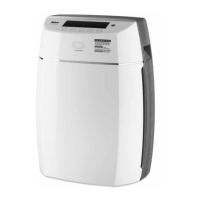
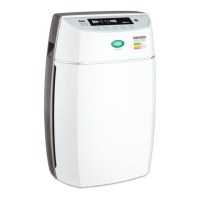
11
EN
2. Control panel
3. Air Inlets
4. Locking Tabs (on both sides)
5. Bottom Stand
6. Odor sensor
7. Remote control
8. Odor sensor
9. Dust Sensor
10. Ti02 lter
11. UV Lamp
12. HEPA lter
13. Activated Carbon lter
14. Electrostatic lter
15. Prelter
16. Front Cover
17. Handle
18. Air Outlet
19. Back View
Indicators
Negative Ion Indicator
During the process when negative ions are generated, the blue indicator will gradually
change from bright to dim and from dim back to bright every 5 seconds.
Odor Indicator
The odor indicator will glow whenever the odor sensor detects odor (such as indoor smoke)
Dust and Irritant Indicator
The dust-and-irritant indicator will glow whenever dust or other irritants are detected.
Air quality Surveillance
Whenever odor, dust or irritants are detected, the air quality surveillance function will indicate
the level of pollution. When pollution is severe, all LED will glow.
No pollution detected Some pollution
detected
Severe pollution
detected
How To Use


 To Next Page