14
EN
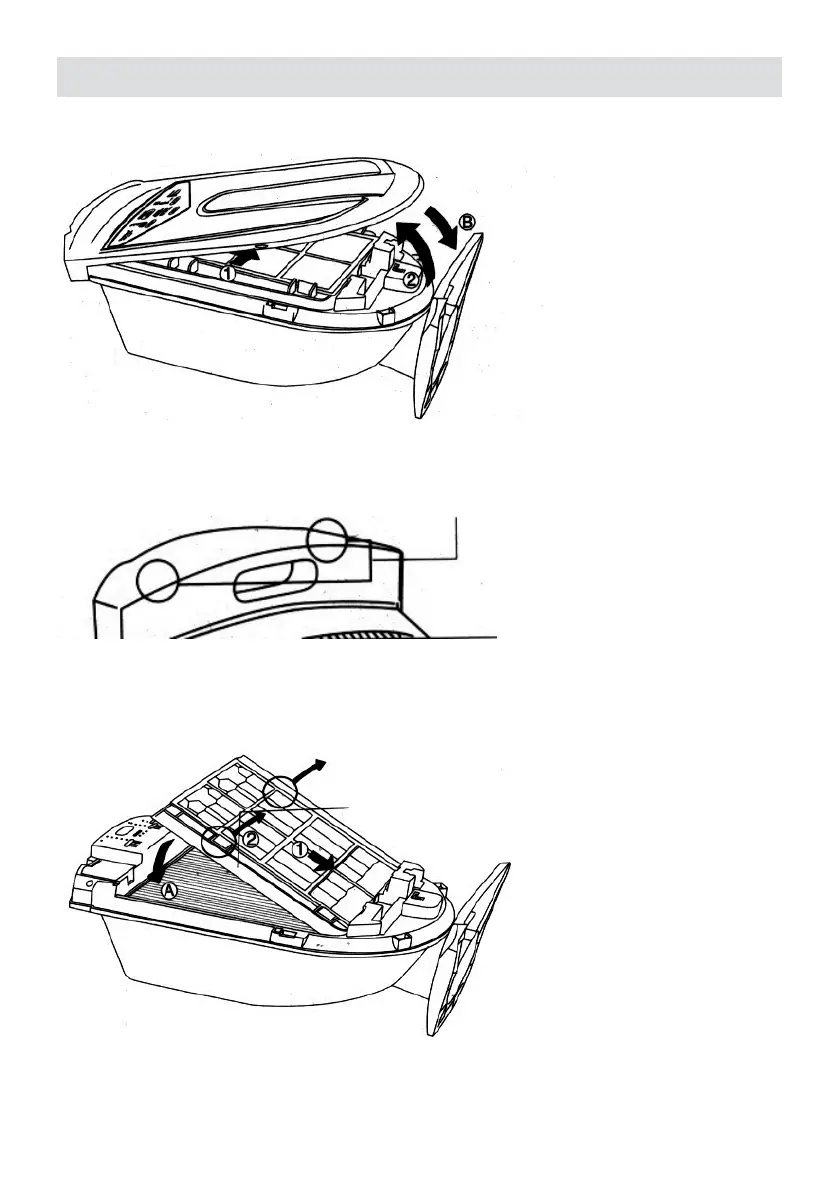
When assembling,
• Firmly reconnect the front cover back to its original position.
• Make sure the two locking tabs reattached immovably.
2. Take down the plasma dust collector
• Push the plasma dust collector towards the bottom of the device.
• Hold the two tabs and lift up the dust collector.
When assembling,
• Push the plasma collector towards the bottom of the device.
• Insert into position A


 To Next Page