16
EN
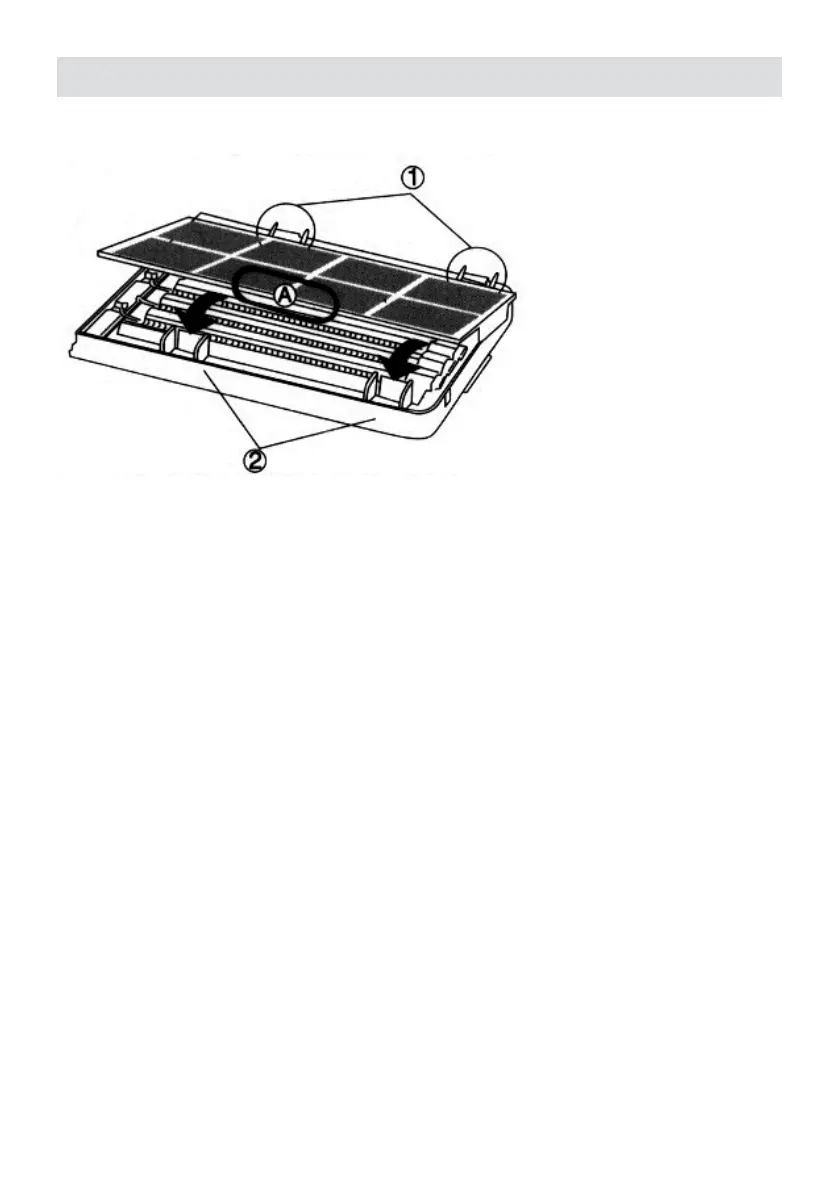
When assembling,
• Attach the lter to the connecting locations on the side
• Fasten the lter on the connection locations.
Cleaning and maintenance
1) Unit front cover
Can be cleaned with owing water
Please use a soft cloth to clean and avoid scraping off the paint on the cover. Avoid cleaning
with hot water or rubbing with excess force. Otherwise damage or deformation or deformation
could be resulted.
2) Front lter
Can be cleaned with owing water. Do not clean with hot water.
3) Dust sensor cover
Use wring dry cloth to rub off all dust on the sensor cover. Use a vacuum cleaner to eliminate
the dust on the lter.


 To Next Page