3. Device programming
Detailed programming instructions are contained in the User's Manual for the controller
purchased. For associating devices with controller, the “programming button” should be used
(Figure 1, No.2) which has the following functions:
• Device adding (“INCLUDE” function) or removing ( “EXCLUDE” function) to/from the
Z-Wave network;
• Device associating (“ASSOCIATE” function) or deleting (“DELETE” function)
with/from selected control buttons of the controller.
Other manufacturers may use different programming sequences.
11.09.19 NC817 5/8 ©2011, FAKRO
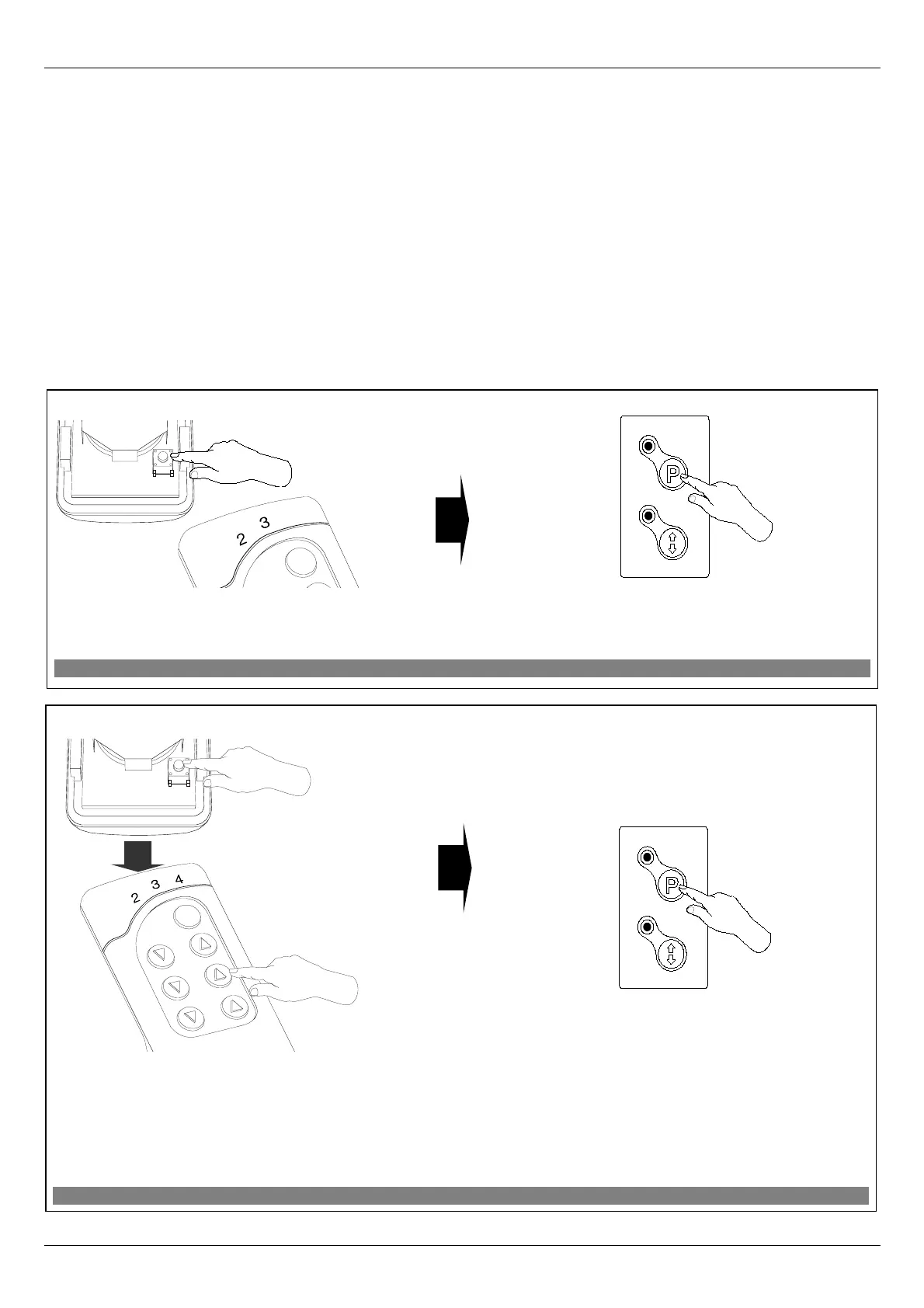
EXCLUDE
Figure 5: Excluding device from Z-Wave network.
1. Within 1 sec. press “In/Ex” button twice. The
controller is signaling readiness for device excluding from
the network (two middle LEDs on for 10 sec.).
2. Press “P” button on the device and hold it for 0.5
sec.
DELETE
Figure 6: Deleting roller shutter from selected pair of controller buttons.
1. Within 1.5 sec., press:
- “In/Ex” button (1) twice and then
- button from this pair of buttons which
operate the device to be deleted (e.g. 2).
The controller is signaling readiness for device
deleting (three LEDs on for 10 sec.).
2. Press “P” button on the device and hold it for 0.5
sec.
x2
x1
2
x1
x2
1
x1


 To Next Page