4. Manual operating
The “ manual operating button” (see Figure 1, item 4) allows manual control of the
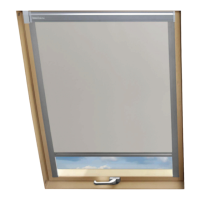
motor unit right after the power is supplied. In order to control the shutter manually, press the
manual control button twice within 1.5 sec. Manual control works in a sequential mode, e.g.
1. First “double-pressing” the button starts the roller shutter armour.
2. Second “double-pressing” the button stops the roller shutter armour.
3. Third “double pressing” the button starts the roller shutter armour in the opposite
direction.
5. Technical parameters
Technical parameters
Parameter ARZ Z-Wave motor
Power voltage 12V DC
Rated current 1.4 A
Speed 23 r.p.m
Working
temperature
(-10
o
C) to (65
o
C)
Power cable 2 x 0.75 mm
2
Weight 0.850 kg
6. Signaling description – LEDs
Motor working status (see Fig. 1) Network status (see Fig. 1)
Single LED
flashing
Current consumed by
the roller shutter's
motor is too low
LED on
continuously
The device has not been associated
with any network, i.e. remote
control of the device is not possible.
This LED always comes on after
connecting the power supply to a
brand new motor. It is switched off
the moment the device is added to a
network with the use of
“INCLUDE” function.
Triple LED
flashing
Current consumed by
the roller shutter's
motor is too high.
Check calibration of
the motor. Description
of limiters' adjustment
is contained in the
Installation Manual
of the shutter under
section “A”.
11.09.19 NC817 6/8 ©2011, FAKRO


 To Next Page