Information about the Z-Wave
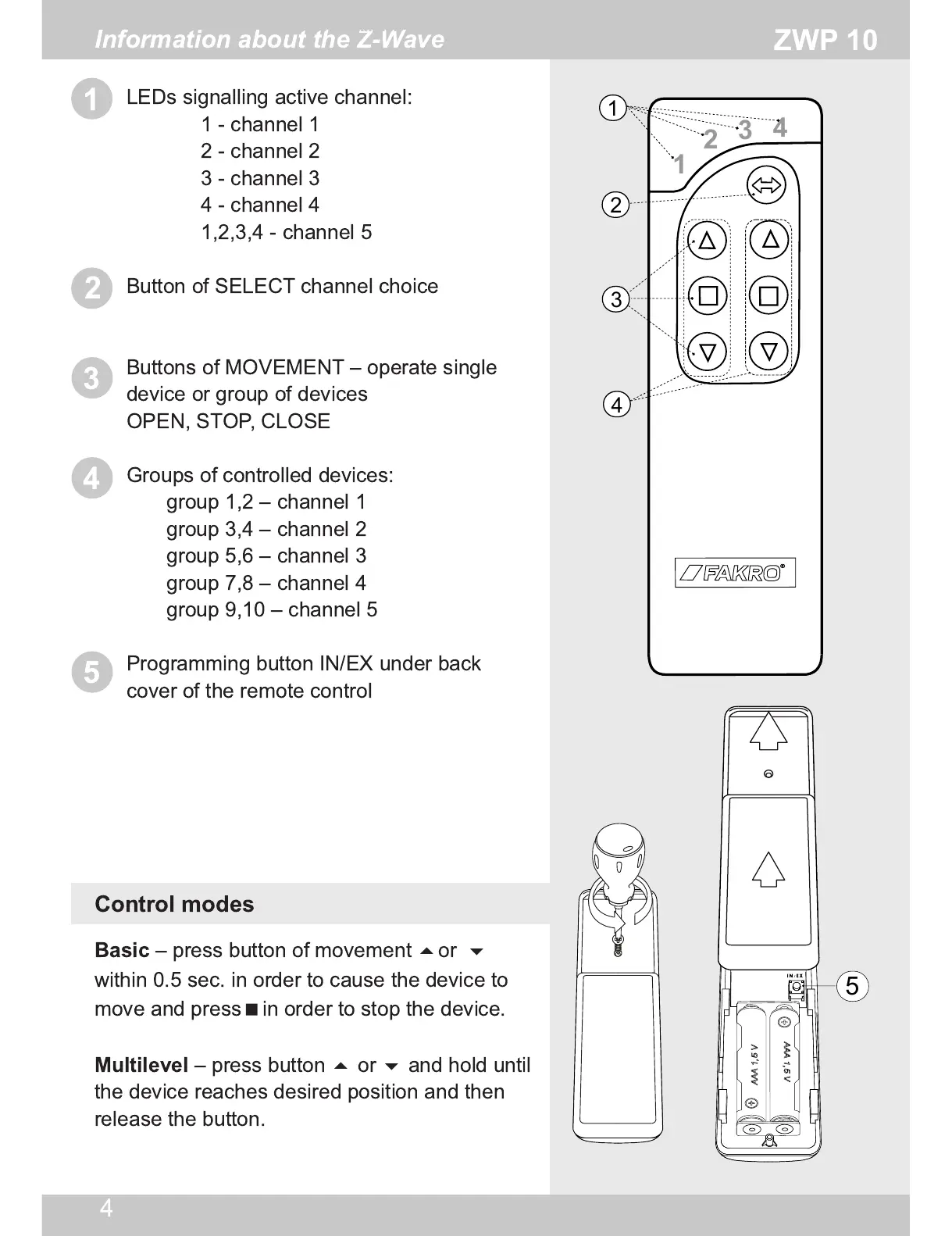
LEDs signalling active channel:
1 - channel 1
2 - channel 2
3 - channel 3
4 - channel 4
1 ,2,3,4 - channel 5
Button of SELECT channel choice
Buttons of MOVEMENT – operate single
device or group of devices
OPEN, STOP, CLOSE
Groups of controlled devices:
group 1 ,2 – channel 1
group 3,4 – channel 2
group 5,6 – channel 3
group 7,8 – channel 4
group 9,1 0 – channel 5
Programming button IN/EX under back
cover of the remote control
Basic
– press button of movement
or
within 0.5 sec. in order to cause the device to
move and press
in order to stop the device.
Multilevel
– press button
or
and hold until
the device reaches desired position and then
release the button.
Control modes


 To Next Page