EasyManua.ls Logo

Falcon 4G DTV - User Manual

Falcon 4G DTV
28 pages
Print Icon
To Next Page IconTo Next Page
Loading...
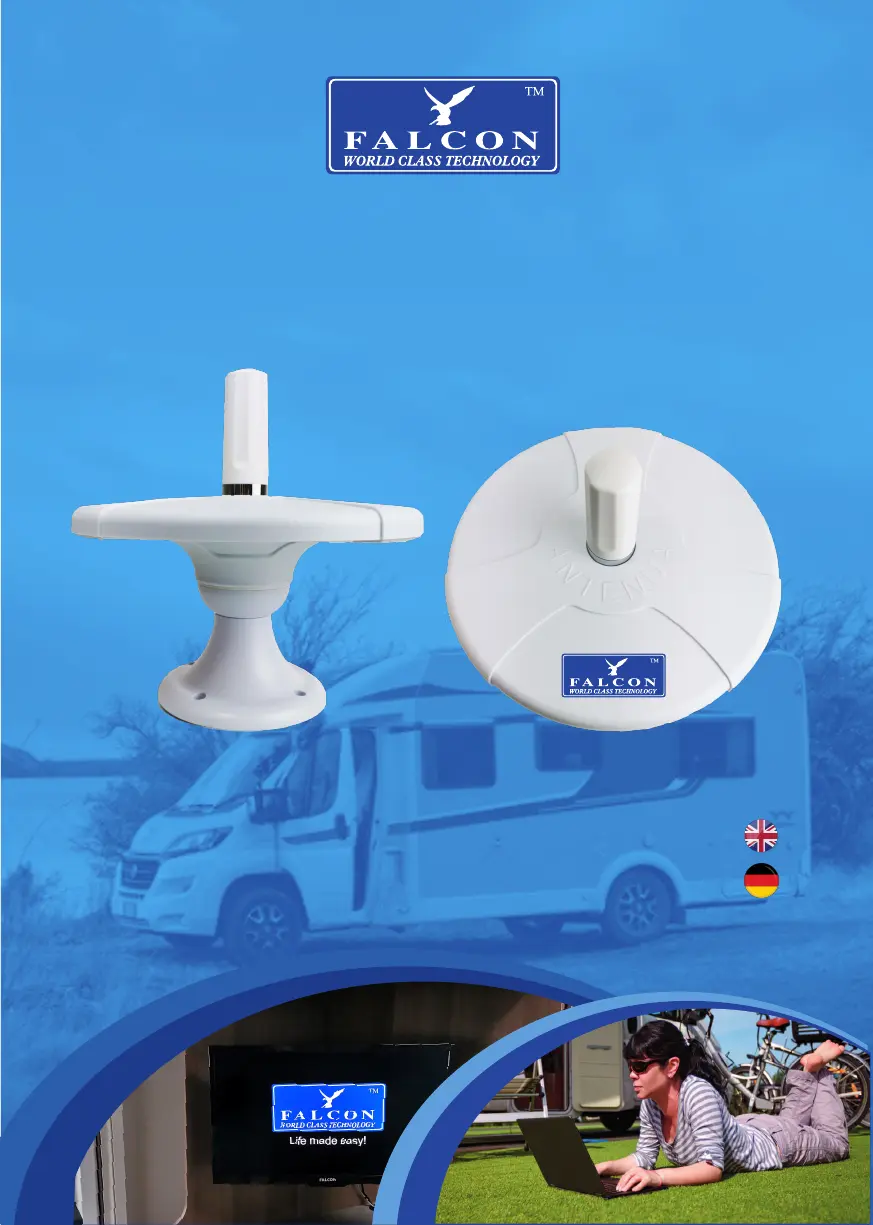
Omni-Directional TV Antenna
Combined with Amplified 4G
Internet Technology for Motorhomes and Caravans
b
User Manual
Benutzerhandbuch

Questions and Answers

Summary

Support and Contact Information

UK Contact Details

Provides UK address, phone, and email for technical support.

Germany Contact Details

Provides German website and email for product support.

Package Contents

Gift Box

The main product packaging.

Antenna and Booster Components

Includes antenna parts, 4G antenna, and TV booster.

4 G Router and Docking Station

The 4G internet connectivity hardware.

Cables and Accessories

Includes cables, connectors, and mounting hardware.

Mounting Requirements and Location

Installation Requirements

Lists necessary tools and materials for installation.

Prepare and Drill Hole

Steps for marking and drilling mounting holes.

Antenna Setup and Fixing

Cable Routing Through Base

Feeding TV and 4G cables through the antenna base.

Securing Antenna Base

Applying sealant and using screws to fix the base.

Attaching 4 G Module

Screwing the 4G module to the antenna top.

TV Booster Box Mounting

Connecting TV Outputs

Connecting TV outputs 1 and 2 to televisions.

Powering and Tuning

Connecting power and tuning TV channels.

4 G Docking Station Mounting

Docking Station Placement

Recommendations for placing the docking station to minimize interference.

Mounting the 4 G Router

Attaching the Falcon 4G router to the docking station.

4 G Router Setup

SIM Card and Battery Installation

Inserting the SIM card and battery into the router.

Router Display Indicators

Explanation of the router's display indicators.

Connecting to 4 G Hotspot

Finding the Wi-Fi Network

Searching for and selecting the "Falcon 4G" Wi-Fi network.

Login and Configuration

Default login credentials for router configuration.

Roaming and Advanced Use

Enabling Roaming for Abroad

Steps to enable data roaming for international use.

Advanced Use with HiLink App

Using the HiLink app for advanced settings and data monitoring.

Data Usage Management

Checking Data Usage

Viewing current data usage, battery, and connected devices.

Setting Data Plan

Configuring monthly data allowances and start dates.

Troubleshooting

Common Issues and Solutions

Solutions for connectivity, roaming, and Wi-Fi extender mode issues.

APN Settings

APN settings for various mobile networks.

Summary

Support and Contact Information

UK Contact Details

Provides UK address, phone, and email for technical support.

Germany Contact Details

Provides German website and email for product support.

Package Contents

Gift Box

The main product packaging.

Antenna and Booster Components

Includes antenna parts, 4G antenna, and TV booster.

4 G Router and Docking Station

The 4G internet connectivity hardware.

Cables and Accessories

Includes cables, connectors, and mounting hardware.

Mounting Requirements and Location

Installation Requirements

Lists necessary tools and materials for installation.

Prepare and Drill Hole

Steps for marking and drilling mounting holes.

Antenna Setup and Fixing

Cable Routing Through Base

Feeding TV and 4G cables through the antenna base.

Securing Antenna Base

Applying sealant and using screws to fix the base.

Attaching 4 G Module

Screwing the 4G module to the antenna top.

TV Booster Box Mounting

Connecting TV Outputs

Connecting TV outputs 1 and 2 to televisions.

Powering and Tuning

Connecting power and tuning TV channels.

4 G Docking Station Mounting

Docking Station Placement

Recommendations for placing the docking station to minimize interference.

Mounting the 4 G Router

Attaching the Falcon 4G router to the docking station.

4 G Router Setup

SIM Card and Battery Installation

Inserting the SIM card and battery into the router.

Router Display Indicators

Explanation of the router's display indicators.

Connecting to 4 G Hotspot

Finding the Wi-Fi Network

Searching for and selecting the "Falcon 4G" Wi-Fi network.

Login and Configuration

Default login credentials for router configuration.

Roaming and Advanced Use

Enabling Roaming for Abroad

Steps to enable data roaming for international use.

Advanced Use with HiLink App

Using the HiLink app for advanced settings and data monitoring.

Data Usage Management

Checking Data Usage

Viewing current data usage, battery, and connected devices.

Setting Data Plan

Configuring monthly data allowances and start dates.

Troubleshooting

Common Issues and Solutions

Solutions for connectivity, roaming, and Wi-Fi extender mode issues.

APN Settings

APN settings for various mobile networks.

Falcon 4G DTV Specifications

General IconGeneral
4G SupportYes
GPSYes
4G LTEYes
DisplayLCD
TouchscreenYes
Expandable StorageYes
Operating SystemAndroid
BluetoothYes
Wi-FiYes
DTVYes
Audio OutputYes
Power Supply12V DC

Related product manuals