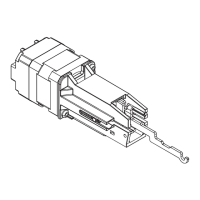
EA
Installation Instructions
Instrucciones de instalación
Notice d'installation
640026-00
© 2010 Ingersoll-Rand Company Limited
640026-00(B)
Exit Alarm
Alarma de salida
Alarme de porte de sortie
Mortise cylinder sold separately
El cilindro Mortise se vende por separado
Cylindre à mortaise vendu séparément
1¹⁄₈ "
(29 mm)
Standard cam
Standard cam
Standard cam
For Factory Installed EA, Skip to Step 3
En el caso del EA instalado en fábrica, pase al Paso 3
Pour l'alarme de porte de sortie installée en usine, passez à l'étape 3
1
Remove and Discard Parts c and d
Quite y deseche las partes c y d
Retirez et mettez de côté les pièces c et d
c
d
a
b
c
d
2
Install Exit Alarm Hardware
Instale el hardware de la alarma de salida
Fixez la quincaillerie de l'alarme de porte de sortie
d
a
b
c
a

 Need help?
 General

 To Next Page