EasyManua.ls Logo

Falcon 24 Series - User Manual

Falcon 24 Series
4 pages
Print Icon
To Next Page IconTo Next Page
Loading...
*47344937*
47344937
PREPARE FOR INSTALLATION
1 Remove and discard existing cover plate.
a
b
c
d
A
B
Cover Plate
2 If exit device has dogging, remove device from door.
If exit device does not have dogging (Fire or less dogging
applications), skip to step 4.
25-R Device
Shown
24/25 Series
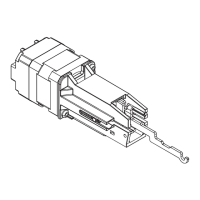
Exit Alarm (EA) Kit
Installation Instructions
Mortise cylinder
with straight cam
sold separately
1¹⁄₄"
(32 mm)
Standard cam
9 Volt Battery
Cylinder Nut
Battery Clip
Cover Plate
Alarm Hardware
Battery
Holder
Remove
and discard
Important Note: The Exit Alarm Kit requires a RX or LM/DM switch mounted in the exit device.

Other manuals for Falcon 24 Series

Question and Answer IconNeed help?

Do you have a question about the Falcon 24 Series and is the answer not in the manual?

Summary

Installation Instructions

Prepare for Installation

Steps to prepare the exit device before installing the alarm kit.

Important Note on Requirements

Critical requirement for a specific switch type in the exit device.

Assemble and Install

Remove Dogging Assembly

Instructions for removing the dogging assembly from the exit device.

Adjust Cover Plate

How to cut and fit the new cover plate to the exit device.

Assemble Alarm Unit

Steps for assembling the exit alarm unit and ensuring cylinder nut is tight.

Install Required Switch

Install LM/DM or RX switch if the exit device does not have one.

Connect Wiring

Detailed diagram for connecting wires to the exit alarm kit board.

Adjust Alarm Reset Time

Adjusting dip switches for automatic alarm reset time.

Install Cover Plate and Battery

Partially install cover plate and connect the battery correctly.

Final Assembly Steps

Reinstalling end cap bracket, end cap, and applying the decal.

Operating Instructions

Arming the Unit

How to arm the exit alarm unit using the key.

LED Observation

Understanding LED indicators for armed mode.

Disarming the Unit

How to disarm the exit alarm unit.

Changing the Battery

Procedure for changing the battery, including low battery warnings.

Summary

Installation Instructions

Prepare for Installation

Steps to prepare the exit device before installing the alarm kit.

Important Note on Requirements

Critical requirement for a specific switch type in the exit device.

Assemble and Install

Remove Dogging Assembly

Instructions for removing the dogging assembly from the exit device.

Adjust Cover Plate

How to cut and fit the new cover plate to the exit device.

Assemble Alarm Unit

Steps for assembling the exit alarm unit and ensuring cylinder nut is tight.

Install Required Switch

Install LM/DM or RX switch if the exit device does not have one.

Connect Wiring

Detailed diagram for connecting wires to the exit alarm kit board.

Adjust Alarm Reset Time

Adjusting dip switches for automatic alarm reset time.

Install Cover Plate and Battery

Partially install cover plate and connect the battery correctly.

Final Assembly Steps

Reinstalling end cap bracket, end cap, and applying the decal.

Operating Instructions

Arming the Unit

How to arm the exit alarm unit using the key.

LED Observation

Understanding LED indicators for armed mode.

Disarming the Unit

How to disarm the exit alarm unit.

Changing the Battery

Procedure for changing the battery, including low battery warnings.

Overview

This document describes the Falcon 24/25 Series Exit Alarm (EA) Kit, providing installation and operating instructions.

Function Description

The Falcon 24/25 Series Exit Alarm (EA) Kit is designed to add an alarm function to an existing exit device. When armed, the alarm will sound if the exit device pushbar is pressed, indicating an unauthorized exit. The kit requires an RX (Request to Exit) or LM/DM (Latch Monitor/Door Monitor) switch to be mounted in the exit device for proper operation. It is compatible with mortise cylinders with a straight cam (1-1/4" or 32 mm) which are sold separately. The alarm can be armed and disarmed using a key.

Important Technical Specifications

  • Power Source: The kit operates using a 9-volt battery. It also supports an optional 24 VDC power supply (e.g., Von Duprin PS902) and can be connected via an EPT-10 or Electric Hinge.
  • Cylinder Compatibility: Requires a mortise cylinder with a straight cam, 1-1/4" (32 mm) in length.
  • Switch Requirement: An RX or LM/DM switch must be installed in the exit device.
  • Alarm Reset Time: Adjustable via DIP switches (S2-1 and S2-2) on the circuit board. Options include:
    • OFF/OFF: None (manual reset required)
    • ON/OFF: 1.5 minutes
    • OFF/ON: 3 minutes
    • ON/ON: 4.5 minutes This refers to the amount of time the alarm will sound before automatically resetting, without manual intervention.
  • External Inhibit (EI) Option: Uses normally open (NO) dry contacts to inhibit the exit alarm. Closing these contacts inhibits the alarm, and reopening them re-arms the alarm with no delay. RX, LM, DM, and EI inputs are not polarized.
  • Arming Delay: After arming, there is a 15 to 20 second delay during which the LED flashes every 3 to 5 seconds.
  • Armed Indication: Once armed, the horn will sound briefly, and the LED will flash every 12 to 15 seconds.
  • Low Battery Alarm: A beep will sound, and the LED will flash every 10 to 15 seconds when the battery is low. This alarm can be stopped by disarming the unit.

Usage Features

  • Key Operation: The alarm is armed by inserting a key into the cylinder and turning it clockwise to position B. It is disarmed by turning the key counterclockwise to position C.
  • Visual and Audible Indicators: An LED provides visual feedback for arming delay, armed status, and low battery. The horn provides audible feedback for armed status and unauthorized exits.
  • Push-to-Test Function: The pushbar of the exit device can be pressed to test the alarm functionality when armed.
  • Adjustable Reset Time: Users can configure how long the alarm sounds before automatically resetting, offering flexibility for different security needs.
  • External Inhibit Capability: Allows integration with access control systems, enabling temporary inhibition of the alarm for authorized entries/exits without disarming the unit.

Maintenance Features

  • Battery Replacement: The manual provides clear instructions for replacing the 9-volt battery. This involves removing the end cap, sliding out the EA assembly, disconnecting the old battery, and connecting a new one, ensuring correct polarity.
  • Troubleshooting (Implicit): The "Important Note" highlights the necessity of an RX or LM/DM switch, indicating a potential troubleshooting point if the alarm is not functioning. The instructions also emphasize ensuring the cylinder nut is adequately tightened to prevent inconsistent switch actuation.
  • Installation Guidance: Detailed steps are provided for installation, including preparing the exit device (removing existing cover plate, dogging assembly if present), assembling the alarm unit, wiring, and installing the new cover plate and end cap. This ensures proper setup and reduces the likelihood of operational issues.
  • Decal Installation: A decal is provided to be installed on the exit device pushbar, clearly indicating "EMERGENCY EXIT ALARM WILL SOUND," serving as a visual deterrent and informing users of the alarm function.

Falcon 24 Series Specifications

General IconGeneral
BrandFalcon
Model24 Series
CategorySecurity System
LanguageEnglish

Related product manuals