STEP 1 OF 4
To change the
transmitte
r to the Down Band, hold the Tx at the same (±2)
general clock position (CP) for this whole procedure.
Hold transmitter powered on at level (0±10°) for at least
fi
ve seconds.
STEP 2 OF 4
Tilt transmitter up at
approx. +65° (almost
vertical) for 10-18 seconds.
STEP 3 OF 4
Return to level for 10-18 seconds.
When the transmitters changes bands, data disappears from the locator.
You can also use the Power-on Method described in "Change
Transmitter Band, Power-On Method" article in the Advanced
Topics Chapter.
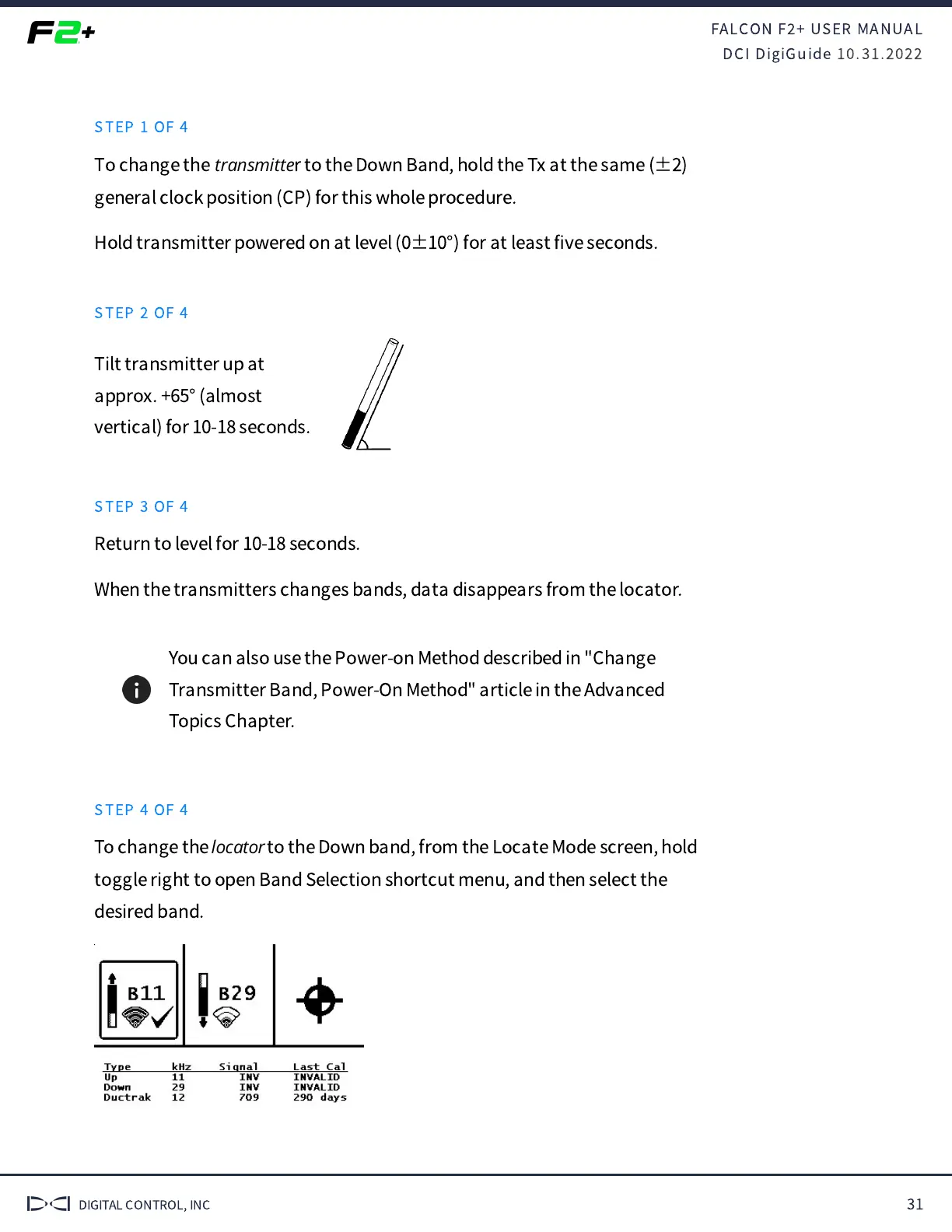
STEP 4 OF 4
To change the
locator
to the Down band, from the Locate Mode screen, hold
toggle right to open Band Selection shortcut menu, and then select the
desired band.


 To Next Page
 Loading...