23
5.1.4 Security
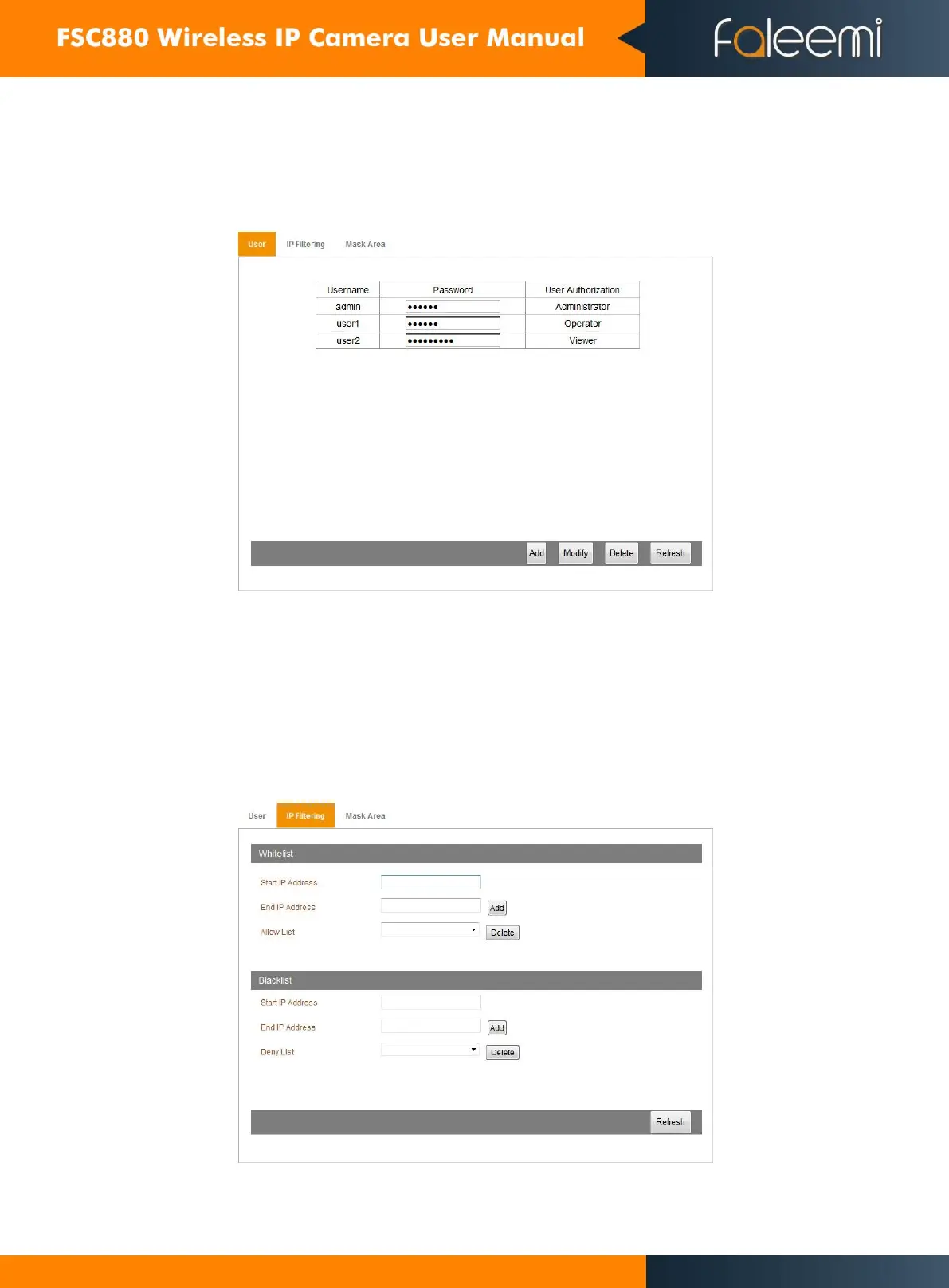
5.1.4.1 User Setting
Access to User management, you can add or edit the user.
Tips:
After setup, dick refresh button, it will renew the information filled.
5.1.4.2 IP Filtering
You can set up the IP filtering to enable or disable some IP address to visit the device as below, as Figure 32.
In IP Address filter, there are 2 settings: blacklist and whitelist.
Whitelist: it allows the specified IP address to access the camera.
Blacklist: it refuses the specified IP address to access the camera.


 To Next Page