4
1.Power on your camera by the included power adapter
2.Connect your camera to your router with the included network cable, or through WiFi (See the following
section 2.2)
2.2 Wi-Fi Setting
You can set up the Wi-Fi by one of the following 2 methods.
2.2.1 Set up WiFi by Mobile Phone
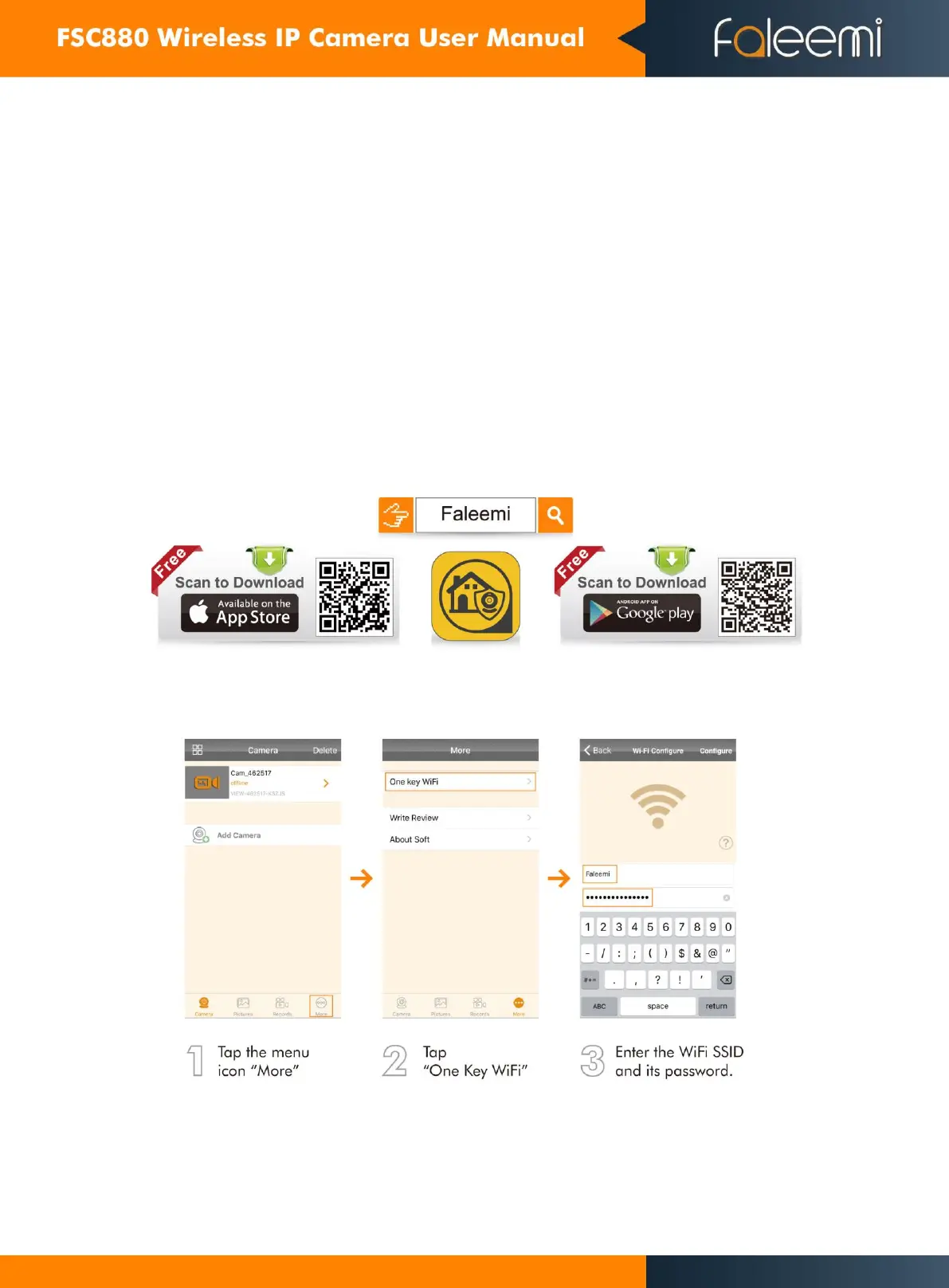
1. Download the App (Android and iOS)
First, connect your mobile device to your WiFi and download the App “Faleemi” on the App Store or Google
Play store, or scan below QR code to download it.
2. Wi-Fi Configuration


 To Next Page