9
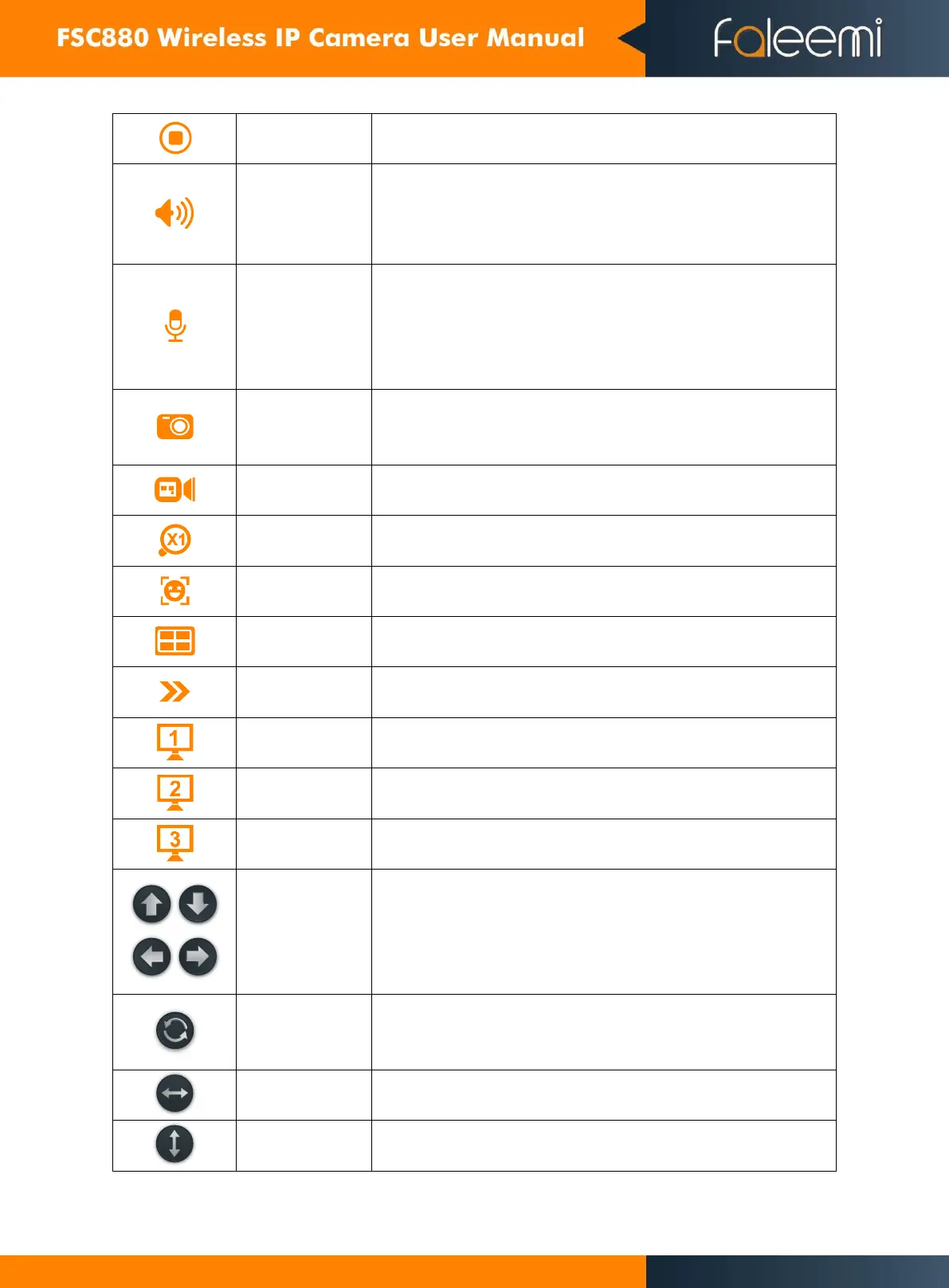
Play or stop the live video
Click this button to enable or disable audio output from the camera.
This feature allows the user to listen in on the audio the camera’s
microphone is picking up.
Click and hold this button to enable bidirectional talk. This feature
allows the user to broadcast audio from their computer to the
camera. While this is active, the camera’s speaker is shut off in order
to keep audio quality high. Adjust the audio volume in “Set
up””Video & Audio””Audio”
Click this button to take a screenshot of the live feed. The picture is
saved at the path specified in
“Set up””Local Configuration””Path Setting”
Click this button to manually record video
It supports 4X digital zoom
It supports 4 cameras in one screen.
Click here to show or hide the control panel
move the camera up, down, left and right


 To Next Page