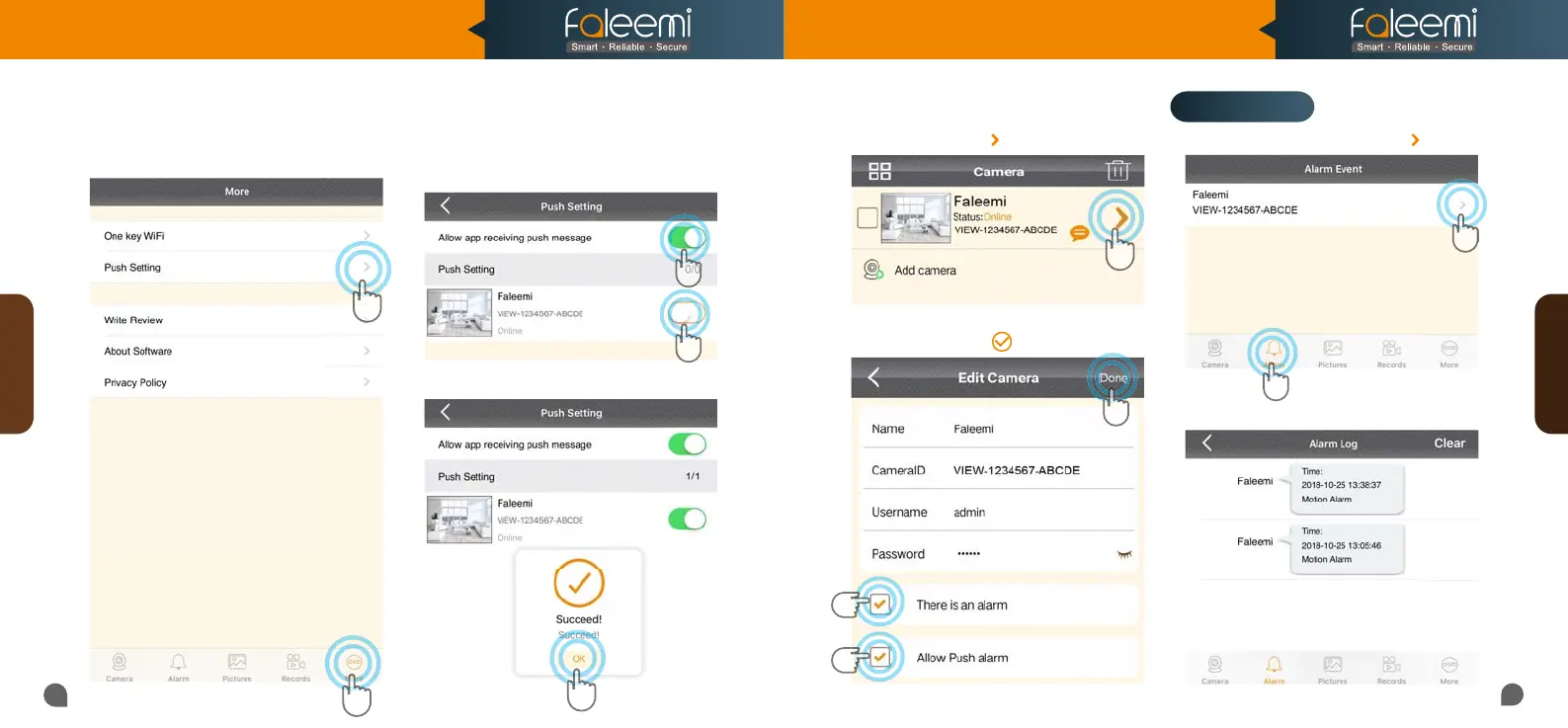
1. Click on [Alarm]. 2. Click on [ ].
3. It shows alarm log list.
21
22
Alarm Event
1
1
1
2
2
2
3
3. Find the camera you want to receive
message alert and turn on the button
[Allow app receiving push message].
4. Click on [OK].
1. Click on [More]. 2. Click on [Push Setting].
1. Click on the icon [ ].
2. Enable [There is an alarm] , [Allow Push
alarm] 3. Click on [ ].
Push Setting
Alarm Event
1
2
[Push Setting- iOS] [Push Setting- Android]
Model: FSC882
Quick Start Guide
1080P Pan/Tilt Wireless Network Camera



 To Next Page