Need help?
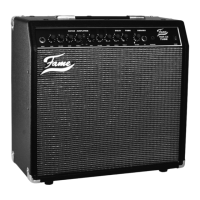
Do you have a question about the FAME AC60R and is the answer not in the manual?
Important safety precautions for operating and storing the Fame AC60R amplifier, including environment and voltage checks.
Guidelines for careful handling and transport of the amplifier to prevent damage from hits, temperature changes, and moisture.
Advice on daily operation, handling connections, avoiding shocks, and cleaning the amplifier with a slightly moist rag.
Notes on interference with radio/TV, fuse replacement, and using a grounded power cable for safe operation.
Connect to a grounded power outlet, ensuring power switches are off. Set up for 230V. Get started once plugged in.
Use 1/4" jack for instruments, set volume low. Protect speakers from feedback by maintaining distance.
Locate the 2A slow blow fuse and spare. Check local voltage when travelling outside the EU to avoid damage.
Connect acoustic instruments, microphones, or external audio devices. Only one input can be used simultaneously to avoid overload.
Connect an optional footswitch for effects control. FX-Loop allows external effects between preamp/power amp.
Connect to PA-System or recording desk using an XLR cable for direct sound output at amplifier's volume level.
Exclusively for acoustic instruments, featuring level adjustment and equalizer. Uses a 6.35 mm jack.
Connects a second instrument, vocal microphone, or external audio device via appropriate input jacks.
Includes Chorus (adds pitched, short delay) and Reverb (simulates room acoustics) for enhanced sound.
A band-stop filter with a narrow stop-band to reduce feedback, potentially affecting other frequencies.
Volume, Bass, and Treble adjustments for both input channels to shape the overall sound.
Adjust Chorus Speed/Depth and Reverb Balance/Amount. CH1/CH2 buttons activate Chorus per channel.
Notch Filter settings (Frequency, Phase, Notch activation) and overall Master Volume control.
Advice on synchronizing guitar and amplifier settings, and using an external equalizer for enhanced sound.
Tips for using Channel 2 with other instruments and careful adjustment of built-in and external effects.
Categorizes external effects (level, time, volume, filtering) and suggests using a compressor in front of the AC60R.
Details power output, speaker configuration, switches, equalization, effects, connection jacks, dimensions, weight, and accessories.


 To Next Page
 General