Need help?
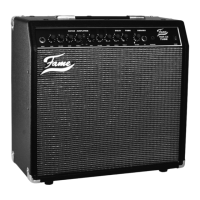
Do you have a question about the FAME GX60R and is the answer not in the manual?
Important safety aspects for operating the Fame amplifier to prevent hazards.
Proper procedures for moving the amplifier to prevent damage from impacts and temperature changes.
Best practices for everyday handling, connections, and operation of the amplifier.
Recommended cleaning methods and considerations for the amplifier's electric environment.
Instructions for safely connecting the amplifier to a grounded power outlet.
Steps for connecting your electric guitar to the amplifier's input jack.
How to avoid damaging the amplifier's speaker from feedback.
Voltage and frequency checks required for international use.
Details on the main fuse, its rating, and replacement procedure.
Guidance on professional maintenance and user serviceability.
Description of the 6.35mm mono input jack for electric guitar signals.
Using the CD/MP3 input for playing along with backing tracks.
Using headphones for quiet practice sessions.
Connecting a footswitch to control amplifier channels.
Using the FX-Loop to connect external effects devices.
Connection point for the power cable to the mains socket.
Characteristics of the Normal channel's warm and bright sound.
Description of the Drive channel's distorted sound and frequency output.
Gain and Volume for Channel 1.
Bass and Treble controls specifically for Channel 1 equalization.
Bass, Middle, Treble knobs for overall sound adjustment.
Adjusts the intensity of the Reverb effect.
CHI & CH II switch for selecting between amplifier channels.
Gain and Volume for Channel 2, offering distortion.
The main power switch to turn the GX60R on or off.
Advice on integrating external effects devices with the amplifier.
Guidance on selecting quality effects units and understanding their impact.
Power output, speaker, tubes, switches, and equalization details.
Lists all input/output jacks and integrated effects.
Dimensions, weight, and included/optional accessories.

 To Next Page
 General