English - 17 -
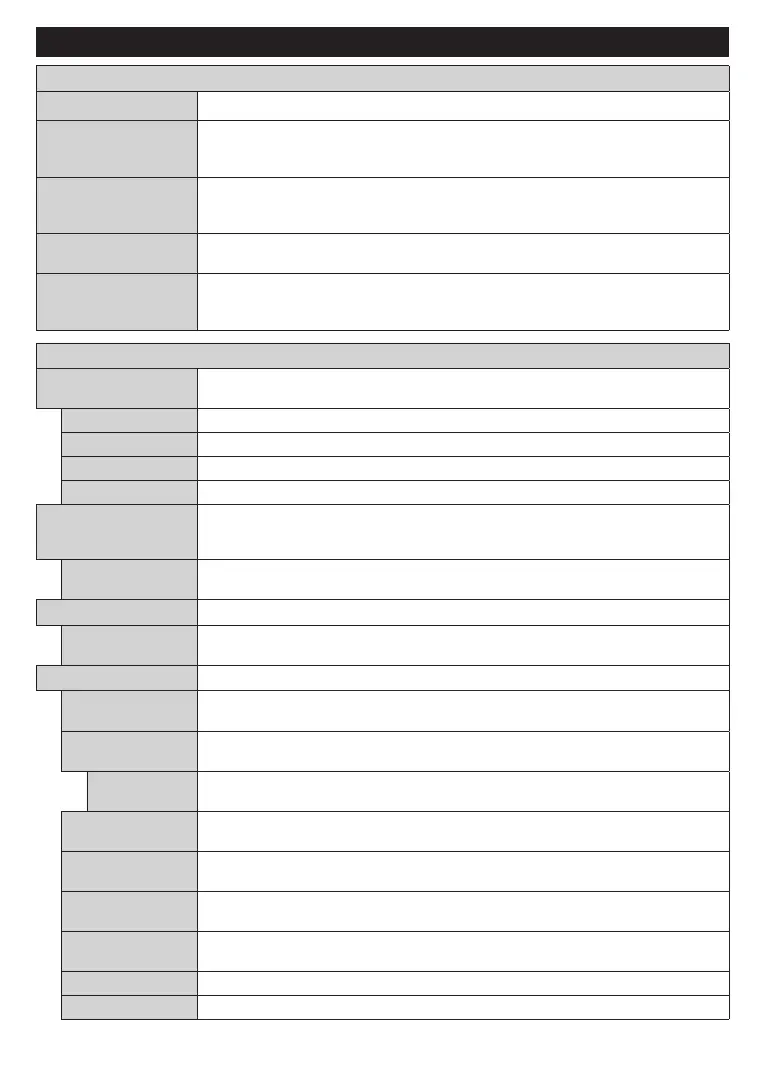
Settings Menu Content
Virtual Remote
Enable or disable the virtual remote feature.
Audio Video Sharing
This feature allows you to share files stored on your smartphone or tablet pc. If you have
a compatible smartphone or tablet pc and the appropriate software is installed, you can
share/play photos on your TV. See instructions of your sharing software for more information.
Timer of No Signal
If your TV does not receive any input signal (e.g. from an aerial or HDMI source) for
3 minutes, it will go into standby mode. You can enable or disable this functionality by
setting this option accordingly.
CEC
With this setting you can enable and disable CEC functionality completely. Press Left
or Right button to enable or disable the feature.
CEC Auto Power On
This function allows the connected HDMI-CEC compatible device to turn on the TV
and switch to its input source automatically. Press Left or Right button to enable or
disable the feature.
Mode
You can change the picture mode to suit your preference or requirements. Picture mode can
be set to one of these options: Cinema, Game(optional), Sports, Dynamic and Natural.
Adjusts the light and dark values on the screen.
Adjusts the brightness values on the screen.
Sets the sharpness value for the objects displayed on the screen.
Sets the colour value, adjusting the colours.
Energy Saving
For setting the Energy Saving to Custom, Minimum, Medium, Maximum, Auto,
Screen Off or Off.
Note: Available options may differ depending on the selected Mode.
Backlight
This setting controls the backlight level. The backlight function will be inactive if the
Energy Saving is set to an option other than Custom.
Picture Zoom
Sets the desired image size format.
Picture Shift
This option may be available depending on the Picture Zoom setting. Highlight and
press OK, then use directional buttons to shift the picture upwards or downwards.
Advanced Settings
Dynamic
Contrast
You can change the dynamic contrast ratio to desired value.
Colour Temp
Sets the desired colour temperature value. Cool, Normal, Warm and Custom options
are available.
White Point
If the Colour Temp option is set as Custom, this setting will be available. Increase the
‘warmth’ or ‘coolness’ of the picture by pressing Left or Right buttons.
Blue Stretch
White colour enhancement function that makes white colour more cooler in order to
make more bright picture. Set as On to enable.
Micro Dimming
Low, Medium, High and Off options are available. While Micro Dimming is active, it
will enhance contrast locally for each defined zone.
Noise Reduction
Low, Medium, High and Off options are available. If the signal is weak and the picture
is noisy, use the Noise Reduction setting to reduce the amount of noise.
Film Mode
Films are recorded at a different number of frames per second to normal television programmes.
Turn this feature on when you are watching films to see the fast motion scenes clearly.
Skin tone can be changed between -5 and 5.
Adjust the desired colour tone.



 To Next Page