(c).Sort
[By Service Name] - Sort the channels in alphabetical order.
[By Service ID] - Sort the channels according to the station.
[By ONID] - Sort the channels according to ONID.
(d) LCN (Logical channel number)
Set LCN on or off (suggested as ON)
(2).Picture Setting
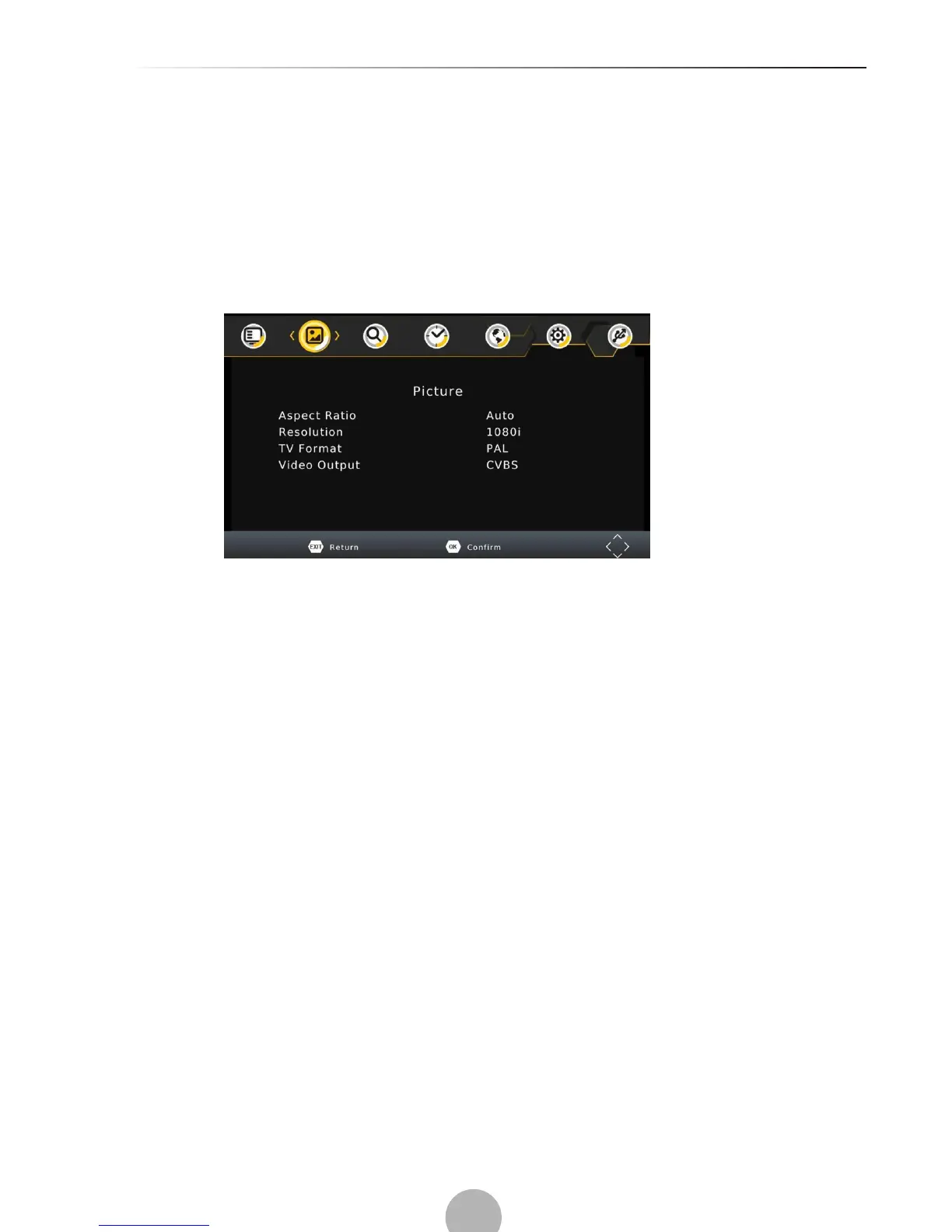
To access the Menu, press MENU then select [Picture] using the RIGHT/LEFT key. The Menu
provides options to adjust the video settings. Press UP/DOWN to select an option and press
RIGHT/LEFT to adjust that setting. Press EXIT to exit the menu.
(a) Aspect Ratio
Change the aspect ratio of Video. [Auto], [16:9 PillarBox], [16:9 Pan&Scan], [4:3 LetterBox],
[4:3 Pan&Scan], [4:3 Full], [16:9 WideScreen]
(b) HDMI Resolution
Set the correct video resolution supported by the TV.
[480P]: for NTSC TV system.
[480i]: for NTSC TV system.
[576P]: for PAL TV system.
[576i]: for PAL TV system.
[720P]: for NTSC or PAL TV system.
[1080i]: for NTSC or PAL TV system.
[1080P(50HZ)]: for NTSC or PAL TV system.
[1080P(60HZ)]: for NTSC system.
(c) TV Format
If the picture does not appear to be correct you can change this setting.
[NTSC]: for NTSC system TV.
[PAL]: for PAL system TV.
(d) Video Output
This option is used to change the video output through scart jack [CVBS], [RGB]


 To Next Page