-10-
Troubleshooting
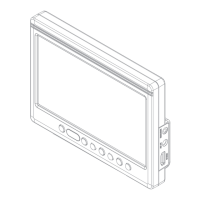
The 7” LCD Monitor comes with a sun hood (not shown) that helps prevent glare
while viewing in certain lighting conditions.To attach the sun hood to the monitor,
start by carefully unfolding the sun hood,then align the cable access cut out over
the cable ports on the side of the monitor.Peel off the film from the hook-and -loop
adhesive tab that is directly under the cut out,and firmly press the adhesive tab to
the monitor.Repeat this procedure for the remaining adhesive tabs being careful
in keeping the hood aligned to the edges of the monitor. the sun hood can be
removed at any time to store for later use.
Troubleshooting
1.The unit Only displays a black and white image.
A、Make sure that the color level settings are properly set for saturation,
brightness and contrast.
B、Select the “Exit” key to switch between Color/B&W selection modes.
2.No image displayed after connecting to power.
A、Make sure the Power ON/OFF key is depressed to the “ON” position.
B、Make sure battery is fully charged and that the cables are properly connected.
3.Image on sccreen is distorted
A、Select the same aspect ratio for the monitor (16:9 or 4:3) as set by your camera.
B、Make sure cables are securely connected.Broken or loose cables can produce
bad signals which can effect the images on screen.


 To Next Page