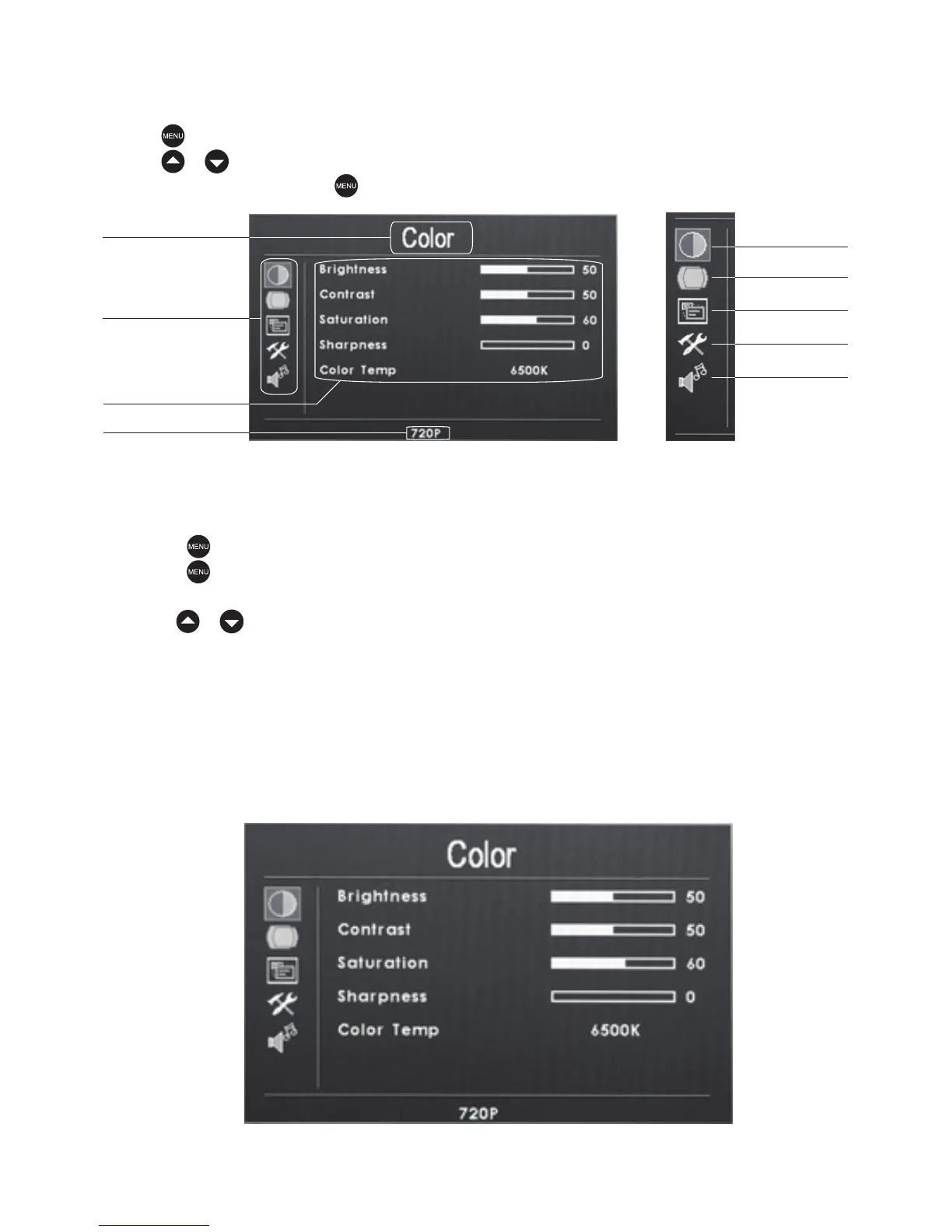
Menu Operation:
Press key to access the relevant OSD (on screen display) menu operation,
press / to select the icons,Color,Adjust,ODS,Function or Sound,and confirm
the selection by pressing key.
Sound
Color
Press the key to access the relevant OSD (on screen display) menu operation.
Press the key again to confirm the Color selection, You should now be in the
Color submenu as shown below.
Use the / keys to select one the following submenu items:
Brightness:0—100
Contrast:0—100
Saturation:0—100
sharpness:0—100
Color Temp:9300K、6500、3200K、User(R,G,B 0-255)
Main menu
Icon
Submenu
Signal data
Color
Adjust
ODS
Function
Menu interface
-6-


 To Next Page