36 37
FANTEC QB-X2US3R 2-BAY 3.5" RAID FANTEC QB-X2US3R 2-BAY 3.5" RAID
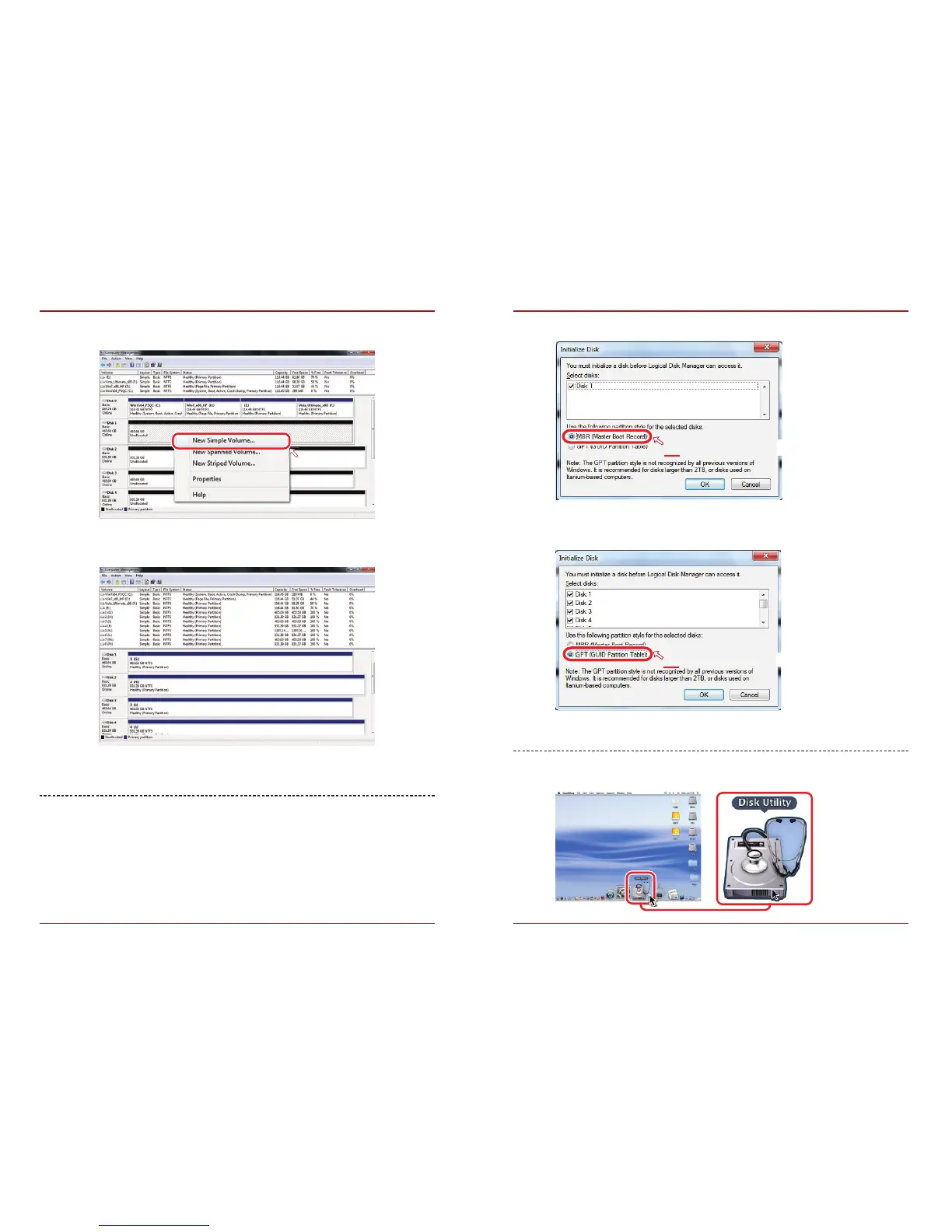
Activate MBR if total volume is less than 2TB
Activate GPT if total volume is more than 2TB
MAC OS X 10.6 or later
1. Click on Programs > Utility > Disk Utility icon.
MBR (Master Boot Record)
GPT (GUID Partition Table)
2. Create new partition and format disk.
3. HDD format completed.
Start disk initialization.
NOTE: Please enable GPT (7/8/8.1/10) if the total capacity is more
than 2TB and enable MBR if the total capacity is less than 2TB.



 To Next Page