GB-11
ENGLISH
TEMPERATURE INDICATE
In order to help you get the correct adjustment of your device, it
is equipped with a temperature gauge placed in the coldest area.
For the proper storage of food in your refrigerator
and in particular in the coldest area, make sure
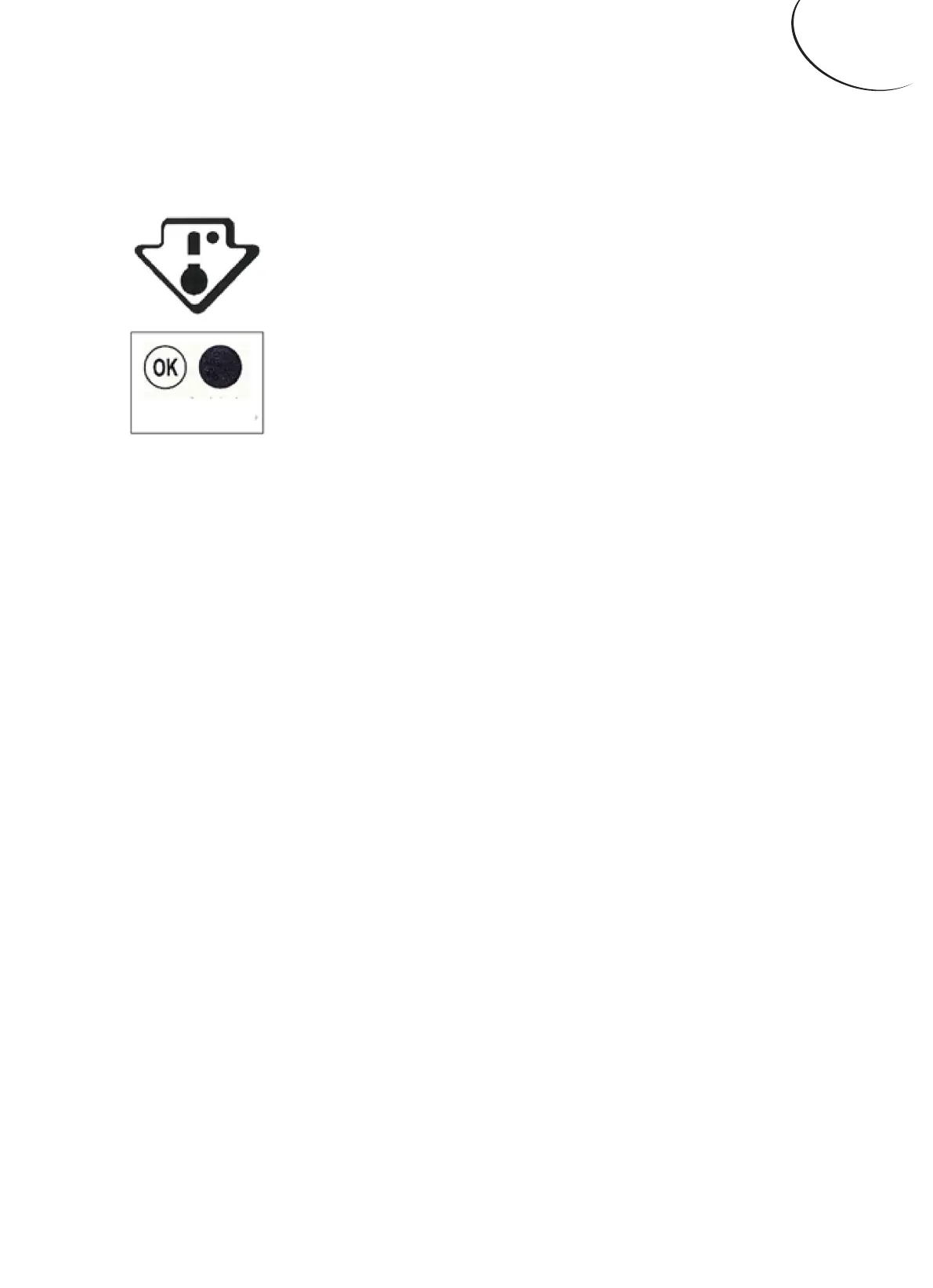
that “OK” appears in the temperature indicator.
The symbol on the left side indicates the location
of the coldest area of your refrigerator. It defines
the height of this area.
If “OK” is not displayed, the average temperature in this area
will be very high. You ought to adjust the thermostat to a colder
setting.
For every modifi ation of your thermostat, you are supposed
to wait for the stabilization of the temperature inside the unit
before proceeding, if necessary, to a new setting. Do change the
position of the thermostat gradually and wait at least 12 hours
before re-checking.
NOTE: after charging the device for fresh food or after repeated
or prolonged door openings, it is normal that the inscription “OK”
does not appear in the temperature indicator.
Wait at least 12 hours before readjusting the thermostat.
SHOPPING FOR FROZEN FOOD
The appliance is rated as a 4 star freezer and can freeze fresh
food and store pre-frozen food. When you are buying frozen
food, look at the Storage Guidelines on the packaging. You will
be able to store each item of frozen food for the period shown
against the 4 star rating.


 To Next Page